Project Overview
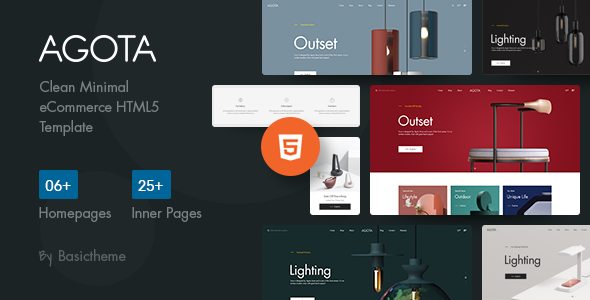
Agota is a minimalist e-commerce HTML5 template featuring complete pages including homepage, shop, blog, cart, and checkout — ideal for quickly building e-commerce showcase websites. It offers 6 homepage variations, supports sidebar layouts, and is fully responsive.
Tech Stack
- Bootstrap 4
- Static HTML5 / CSS3
- jQuery
- Slick Slider
- Google Fonts (Rubik)
Project Structure
text
agotahtml-10/
├── agota/
│   ├── index.html and 30+ other pages
│   ├── css/
│   │   ├── style.css          # Main stylesheet (26 module sections)
│   │   ├── bootstrap.css
│   │   ├── responsive.css
│   │   ├── slick.css / nice-select.css
│   │   ├── fontawesome-all.min.css
│   │   └── animate.css / flaticon.css / icomoon.css
│   └── fonts/
│       ├── FuturaStd-Book/    # Custom English font
│       └── flaticon-font/     # Flaticon icon font
Key Files
agota/index.html— Homepage entry point with navigation, carousel, and product display sectionsagota/css/style.css— Main stylesheet covering all site typography and componentsagota/css/bootstrap.css— Bootstrap framework base stylesagota/css/responsive.css— Responsive breakpoint adaptation stylesagota/shop.html— Product listing page with sidebar filteringagota/single-product.html— Single product detail page template
Quick Start
Simply open agota/index.html in your browser to preview. If you have a local static server, you can use:
bash
# Python simple server
python -m http.server 8080
# Or Live Server (VS Code extension)
Usage Notes
This template consists of pure static pages, suitable as a front-end showcase prototype. For dynamic functionality (e.g., cart, user login), you'll need to integrate a backend API. Modify the color variables in style.css to quickly change the brand color scheme.
