Project Overview
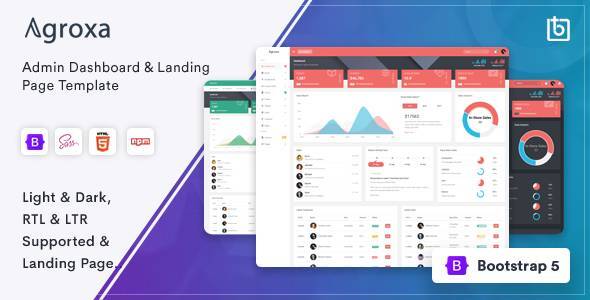
Agroxa is a versatile admin dashboard template built on Bootstrap 5, offering vertical/horizontal layouts, rich data visualization charts, complete form and table components — ideal for quickly building enterprise-level admin systems or SaaS products.
Tech Stack
- Bootstrap 5.3.3 (core UI framework)
- Gulp 4 (automation build)
- jQuery 3.7.1
- Chart.js / C3 / Morris.js / Chartist / Flot (chart libraries)
- DataTables (data tables with Buttons/Responsive/Select extensions)
- Metismenu (sidebar menu)
- TinyMCE 5 (rich text editor)
- SweetAlert2 / Bootstrap-SweetAlert (modal alerts)
Project Structure
text
Agroxa-HTML_v2.3.0/
  Admin/
    gulpfile.js          # Gulp build configuration
    package.json         # Dependency declarations
    src/
      index.html         # Main dashboard page
      partials/
        body.html        # Page body tag and attributes
        menu.html        # Top navigation + sidebar combination
        head-css.html    # CSS include snippet
      layouts-*.html     # 12 layout variants
      charts-*.html      # 6 chart pages
      tables-*.html      # 4 table pages
      forms-*.html       # 7 form pages
      ui-*.html          # 20+ UI component pages
      email-*.html       # Email module pages
      pages-*.html       # Authentication/error/utility pages
      assets/            # Source assets (SCSS/JS)
  Documentation/
    index.html           # Official documentation entry
Core File Descriptions
Admin/gulpfile.js— Defines build processes: SCSS compilation, CSS/JS minification, RTLCSS conversionAdmin/src/partials/body.html— Controls top bar color theme viadata-topbarattributeAdmin/src/partials/menu.html— Combines top bar and sidebar, supports horizontal layout switchingAdmin/src/index.html— Uses@@includedirectives to assemble modular snippetsAdmin/src/layouts-*.html— Provides 12 layout variants: boxed, compact, dark, horizontal, etc.Admin/src/charts-*.html— Integrates six chart libraries: Chart.js, C3, Morris, Chartist, Flot, Knob
Quick Start
bash
cd Admin
npm install      # Install gulp and all dependencies (including node-sass)
npm install -g gulp  # If gulp is not installed globally
gulp             # Start build, output to dist/ directory
After building, open dist/index.html in your browser to preview.
Usage Tips
The template switches theme colors and layout modes via data-topbar and data-layout attributes — no SCSS source changes needed for quick project adaptation. When adding new pages, follow the @@include structure in src/ and split content into reusable snippets to keep code clean.
