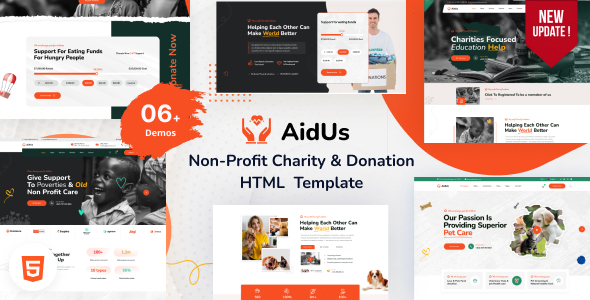
Project Overview
AidUs is an HTML5 website template designed for charities and non-profit organizations, offering complete homepage variants (3 sets), as well as pages for donations, volunteers, events, blogs, shops, and more. Suitable for charitable foundations, volunteer teams, online donation platforms, and similar use cases. Fully static, no build process required—simply edit the HTML directly.
Tech Stack
- Bootstrap 5 (CSS framework)
- Static HTML5 + CSS3
- jQuery + multiple carousel/modal plugins (Owl Carousel, Slick, Magnific Popup)
- PHP (used only for contact form email sending)
Project Structure
text
aidushtml-10/aidus/
├── index.html              # Main homepage (Set 1)
├── index-2.html            # Homepage variant 2
├── index-3.html            # Homepage variant 3
├── about.html / contact.html
├── donate.html / causes.html
├── event.html / project.html
├── blog*.html / volunteer*.html
├── shop*.html / cart.html / checkout.html
├── mail-contact.php         # Contact form backend
└── assets/
    ├── css/                 # All stylesheets
    ├── fonts/               # Icon fonts (FontAwesome, Slick, etc.)
    └── images/              # Image assets
Key Files Description
index.html— Main homepage entry, includes top bar, navigation, hero carousel, partner sections, etc.assets/sass/style.css— Main theme stylesheet (approximately 1600 lines, covering styles for all page sections)assets/css/bootstrap.min.css— Bootstrap core frameworkmail-contact.php— PHP processing script for sending emails after contact form submissiondonate.html— Online donation page templatevolunteer-*.html— Volunteer recruitment and registration pages
Quick Start
- Deploy the
aidusfolder to any web server (or simply double-clickindex.htmllocally) - To use the contact form, configure a PHP email sending environment (modify the
$toemail address inmail-contact.php) - Open the target HTML file with a text editor and replace placeholder content (logo, images, text, contact information)
Usage Suggestions
- The homepage variants have independent styles. If using only one set, delete the other two
index-*.htmlfiles to reduce redundancy. - All icons use Flaticon / FontAwesome. Refer to
assets/fonts/flaticon_aidus.htmlfor iconclassnames.
