Project Overview
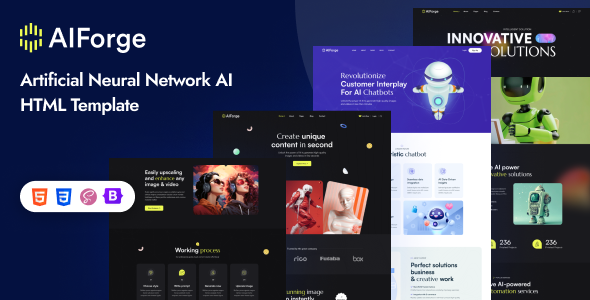
AIForge is an HTML single-page/multi-page template designed for AI and tech startups, featuring a dark theme with interactive effects such as Swiper carousel, WOW animations, and parallax scrolling. Ideal for AI product websites, tech company landing pages, or SaaS service showcases. The template includes 10+ pre-built pages and can be used directly without any build tools.
Tech Stack
- Bootstrap 5.x (grid system and base components)
- Swiper Slider (carousel and brand scrolling)
- jQuery + jQuery plugins (Magnific Popup, MeanMenu, Nice Select, CounterUp, WOW)
- Static HTML/CSS/JS (no Node.js required)
Project Structure
text
aiforgehtml-10/
├── main-file/               # Production template files
│   ├── index.html           # Homepage
│   ├── about.html           # About Us
│   ├── service.html         # Services
│   ├── project.html         # Project Cases
│   ├── pricing.html         # Pricing Plans
│   ├── team.html            # Team Members
│   ├── news.html            # Blog/News List
│   ├── contact.html         # Contact Page
│   ├── login.html           # Login
│   ├── register.html        # Register
│   ├── 404.html
│   └── assets/
│       ├── css/             # All stylesheets (including main.css, color.css)
│       └── img/             # Sample image assets
└── documentation/           # Official online documentation
    └── index.html
Core File Description
main-file/index.html— Homepage entry, includes Hero section, carousel, and CTA blocksmain-file/assets/css/main.css— Core styles (includes dark theme variables and responsive breakpoints)main-file/assets/css/color.css— Theme color configuration (yellow-green + indigo dual-tone)main-file/assets/js/main.js— All interactive logic (Sticky Header, Swiper, CounterUp, WOW initialization)main-file/assets/css/bootstrap.min.css— Bootstrap 5 base frameworkdocumentation/index.html— Official documentation homepage (for reference only)
Quick Start
This project is a pure static template with no dependencies required:
- Open
main-file/index.htmldirectly in your browser, or - Use any local server (e.g.,
python -m http.server) to ensure all resources load properly
To customize colors, modify the CSS variables in assets/css/color.css for global color changes.
Usage Recommendations
- All image placeholders are located in
/main-file/assets/img/— replace with actual assets before going live main.cssuses@importto load Google Fonts (Satoshi, Marcellus) — ensure your deployment environment can access Google Fonts- Mobile menu is based on MeanMenu — make sure
jquery.meanmenu.jsis loaded before initialization
