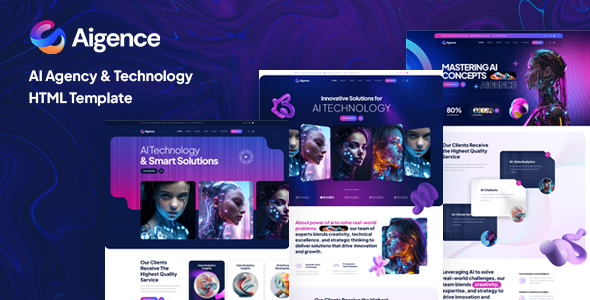
Project Overview
Aigence is an HTML website template designed for AI companies and tech enterprises, built with the Bootstrap framework. It includes complete pages such as homepage, blog, portfolio, and e-commerce shopping flow, making it suitable for quickly building corporate websites for AI agents, technical consulting, data science, and similar fields.
Tech Stack
- Bootstrap (responsive framework)
- HTML5 + CSS3
- IcoMoon custom icon font (aigence-icons)
- jQuery + various jQuery plugins (scrolling, lightbox, carousel, etc.)
- FontAwesome icon library
Project Structure
text
aigencehtml-10/aigence-html-package/
├── aigence-html-main/          # Template main files (all pages)
│   ├── index.html              # Homepage
│   ├── about.html, contact.html, faq.html
│   ├── blog-*.html             # Blog related (10+ layouts)
│   ├── gallery-*.html          # Portfolio pages
│   ├── cart.html, checkout.html # Shopping cart and checkout
│   └── assets/                 # CSS/JS/images and other static resources
├── aigence-html-documentations/ # Official documentation
│   ├── index.html
│   └── css/, js/, images/
└── aigence-icons/              # Custom icon font
    ├── style.css               # Font declarations and icon classes
    └── demo.html               # Icon preview
Core File Description
aigence-html-main/index.html— Template homepage, includes navigation, carousel, service introduction, and complete first-screen structureaigence-html-main/assets/css/aigence.css— Main template stylesheet, defines overall visual styleaigence-html-main/assets/vendors/bootstrap/css/bootstrap.min.css— Bootstrap framework stylesaigence-icons/style.css— IcoMoon icon font class declarations and Unicode mappings (e.g.,.icon-phone)aigence-html-documentations/index.html— Official usage documentation, includes HTML structure explanation and configuration guide
Quick Start
- Navigate to the
aigence-html-maindirectory - Open
index.htmldirectly in your browser to preview the complete homepage - To modify page content, edit the corresponding HTML files; resource paths point to the
assets/directory
Usage Suggestions
This template provides over 30 pre-built pages, suitable for full-site replacement. Note that all pages share the same assets static resources; it's recommended to back up before making modifications. Custom icons can be added or removed by editing the Unicode mappings in aigence-icons/style.css.
