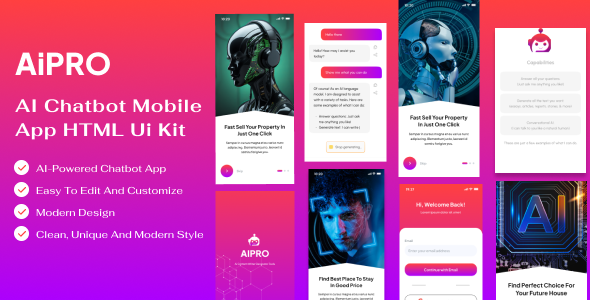
Project Overview
AIPRO is a static AI chatbot mobile UI template built with Bootstrap 5 and jQuery, constructed using pure HTML/CSS/JS with no build tools required. The template includes a splash screen, sidebar menu, profile page, and business pages such as AI assistants, search, and history, making it suitable for quickly prototyping or building landing pages for AI assistant products.
Tech Stack
- HTML5 + Bootstrap 5 (responsive layout)
- jQuery 3.6 + jQuery UI
- Swiper carousel component
- GSAP animation engine
- CSS variables + dark/light mode toggle
- Google Fonts (Plus Jakarta Sans)
Project Structure
text
aiprohtml-10/
├── Aipro Main file/
│   └── Aipro Main file/
│       ├── index.html          # Home page (main entry)
│       ├── page.html           # Page list display
│       ├── assets/
│       │   ├── css/            # Stylesheets (includes common/animations/welcome, etc.)
│       │   ├── images/         # Image assets
│       │   ├── js/             # Scripts (includes script.js)
│       │   └── svg/            # SVG icons
│       ├── components/
│       │   └── splash-screen.html  # Splash screen component
│       └── pages/              # Business pages
│           ├── ai-assistants.html
│           ├── history.html
│           ├── home.html
│           ├── search-result.html
│           └── search.html
└── documentation/               # Official documentation
Key Files
index.html— Main entry page with top menu bar, splash screen animation, and slide-out menuassets/css/common.css— Global common styles (includes dark mode variables and layout utility classes)assets/js/script.js— Main interaction scripts (menu toggle, mode switching, etc.)components/splash-screen.html— Splash screen component, can be previewed independentlypages/home.html— Home page overview with dashboard-style layoutdocumentation/index.html— Official documentation page
Quick Start
- Open
Aipro Main file/Aipro Main file/index.htmldirectly in a browser - Or use any local server (e.g.,
npx serveor Live Server plugin) to serve the directory
Usage Tips
The template consists of pure static pages, all as .html files, suitable for direct secondary development as a frontend prototype. Pages reference assets via relative paths, so maintain the directory structure when deploying. Dark mode is implemented via CSS variables; you can customize theme colors by directly modifying variable values in :root.
