Project Overview
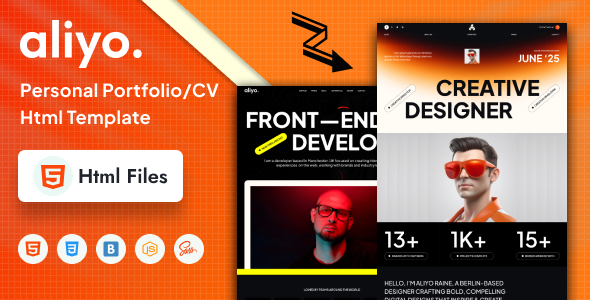
Aliyo is a static single-page personal portfolio/resume HTML template featuring 13 complete pages including homepage, portfolio, blog, contact page, and more. It comes with responsive layout and various interactive animations, making it ideal for quickly building a personal website for designers or developers.
Tech Stack
- HTML5 + CSS3 (semantic structure)
- Bootstrap 5 (grid system and base components)
- Font Awesome 6 (icon library)
- Swiper (carousel/slideshow)
- Magnific Popup (image lightbox)
- Animate.css (page animations)
- MeanMenu (mobile hamburger menu)
Project Structure
text
aliyohtml-10/aliyo-html-package-file/
├── documentation/          # Template official documentation
│   └── index.html
└── download-version/        # Ready-to-use template files
    ├── index.html           # Homepage (style 1)
    ├── index2.html         # Homepage (style 2)
    ├── about.html           # About Me
    ├── blog.html            # Blog list
    ├── blog-details.html    # Blog post details
    ├── contact.html         # Contact page
    ├── project.html          # Portfolio list
    ├── project-details.html # Project details
    ├── service.html         # Services
    ├── pricing.html         # Pricing page
    ├── team.html            # Team members
    ├── faq.html              # FAQ
    ├── 404.html              # Error page
    └── assets/               # CSS, JS, images, and other static resources
Key Files
download-version/index.html— Main entry page of the templatedownload-version/assets/css/main.css— All styles combineddownload-version/assets/css/bootstrap.min.css— Bootstrap framework stylesdownload-version/assets/js/main.js— Interactive logic (please verify if it exists)documentation/index.html— Official documentation pagedownload-version/contact.html— Contact form page
Quick Start
- Deploy the contents of the
download-versionfolder to a web server, or openindex.htmldirectly in a browser. - For local preview, it is recommended to use the Live Server extension in VS Code or run
python -m http.serverto start a lightweight server. - Edit personal information (such as name, contact details, social links) in each HTML file and replace placeholder content.
Usage Tips
- All pages share the same
assetsfolder. To change the logo or global color scheme, simply modify the corresponding variables inmain.css. - The mobile menu relies on jQuery/MeanMenu. Make sure the relevant initialization code is properly included in
main.js. - Social links in the template are placeholders and need to be manually replaced with actual account URLs.
