Project Overview
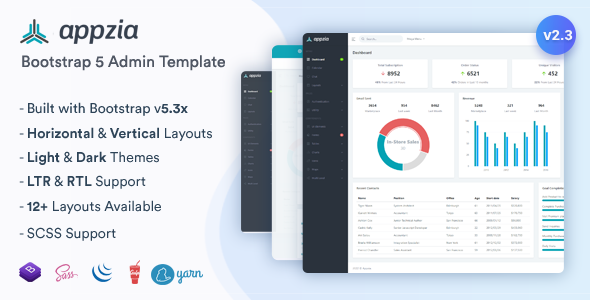
Appzia is a versatile Bootstrap 5-based admin dashboard template, version 2.3.0, crafted by Themesdesign. It includes a Gulp build workflow with SCSS compilation, component reuse (@@include syntax), and RTL layout switching. Ideal for quickly building enterprise-level admin panels, SaaS platforms, or data dashboards.
Tech Stack
- Framework: Bootstrap 5.3.3 + jQuery 3.7.0
- Build Tool: Gulp 4.0.2 + gulp-file-include
- Style Preprocessor: SASS/SCSS
- Chart Libraries: Chart.js, ApexCharts, ECharts, Morris.js, Flot
- Data Tables: DataTables (with responsive, auto-fill, buttons, select, and more)
- Icons: Dripicons, Font Awesome, Material Design Icons, Remix Icon
- UI Components: SweetAlert2, Toastr, Owl Carousel, Magnific Popup, Select2, etc.
Project Structure
text
appzia_HTML_2.3.0/
├── Admin/
│   ├── gulpfile.js          # Gulp build configuration
│   ├── package.json         # Dependency management
│   ├── yarn.lock
│   └── src/                 # HTML source files (requires build)
│       ├── index.html       # Dashboard homepage
│       ├── auth-*.html      # Login/register/password reset auth pages
│       ├── charts-*.html    # Various chart examples
│       ├── form-*.html      # Form component examples
│       ├── tables-*.html    # Table component examples
│       ├── ui-*.html        # Basic UI component examples
│       ├── layouts-*.html   # Different layout variants
│       ├── icons-*.html     # Icon sets
│       ├── maps-*.html      # Map integration
│       └── pages-*.html     # Error/maintenance pages
├── Documentation/
│   └── index.html           # Documentation homepage
Key Files Description
Admin/package.json— Node dependency declaration, defining 40+ plugins and build scriptsAdmin/gulpfile.js— Gulp task configuration, controlling SCSS compilation, CSS/JS minification, file includes, and RTL conversionAdmin/src/index.html— Dashboard homepage source, demonstrating card stats, charts, and component usageAdmin/src/pages-404.html— 404 error page templateAdmin/src/pages-500.html— 500 server error page templateAdmin/src/auth-login.html— Login page template (located atauth-login.html)
Quick Start
bash
# Install dependencies
cd appzia_HTML_2.3.0/Admin
yarn install   # or npm install

# Start development server (BrowserSync with hot reload)
yarn start

# Build for production
yarn build
For static use, you can open Admin/src/index.html directly in a browser, but ensure network access to CDN resources or that the build has been executed.
Usage Tips
- Modify Layout: Edit the sidebar and top bar configuration in
Admin/src/layouts-*.htmlto quickly switch between horizontal/vertical, boxed/full-width layouts. - Dark/RTL Theme: The template includes built-in Dark Version and RTL Version support. Refer to the instructions in
Documentation/rtl.htmlfor switching. - Source files use
@@includeto reuse headers, menus, and other fragments. Runyarn buildbefore deployment to generate the merged files.
