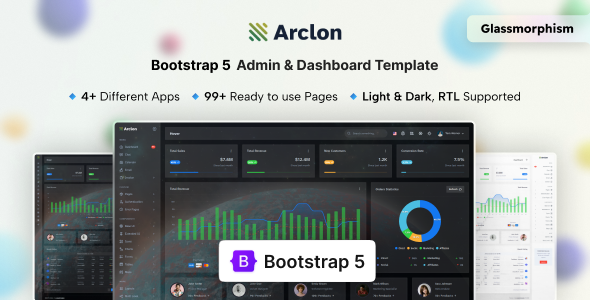
Project Overview
Arclon is a responsive admin dashboard template based on Bootstrap 5.3, integrating rich UI components such as charts, forms, data tables, and maps, suitable for quickly building CRM, CMS, or admin backend systems. The template provides a Gulp automated build workflow and supports RTL layout switching and dark/light themes.
Tech Stack
- Framework: Bootstrap 5.3.3
- Build Tool: Gulp 4 + Sass
- Charts: ApexCharts 4
- Data Tables: DataTables 2 (with FixedColumns, FixedHeader, Responsive, Select extensions)
- Rich Text Editor: Quill 2
- Date Pickers: Flatpickr, Daterangepicker, Moment.js
- Others: jQuery 3.7, Select2, Leaflet, Dragula, SweetAlert2, SimpleBar, etc.
Project Structure
text
Arclon_v1.0/
├── Admin/
│   ├── src/                    # Template source code (with @@include partials)
│   │   ├── index.html          # Dashboard example
│   │   ├── pages-starter.html  # Blank page template
│   │   └── *.html              # Various feature pages
│   ├── gulpfile.js             # Gulp build configuration
│   ├── package.json
│   └── yarn.lock
├── Documentation/              # Offline documentation
│   ├── index.html
│   └── assets/
└── (Other supporting files)
Core File Description
Admin/src/index.html— Dashboard homepage example, showcasing cards, progress bars, and other componentsAdmin/src/pages-starter.html— Blank page template, can be directly copied for developing new pagesAdmin/gulpfile.js— Automated build script, responsible for compiling Sass, minifying assets, and starting a local serverAdmin/package.json— Project dependency configuration, containing all npm dependencies and build scriptsAdmin/src/partials/— Shared HTML partials (navigation, footer, header resource references, etc.), injected via gulp-file-include
Quick Start
bash
# Install Gulp globally after installing Node.js
npm install gulp -g

# Navigate to the Admin directory and install dependencies
yarn install

# Start the development server (compiles and watches for file changes)
yarn start
Build output is generated in the dist directory by default. To only build without starting the server, run yarn build.
Usage Suggestions
- When developing new pages, it is recommended to use
pages-starter.htmlas a base and organize files according to the left menu structure - The template depends on jQuery; additional DOM layer modifications are required for Vue/React integration
- The documentation directory can be opened directly in a browser to view customization instructions
