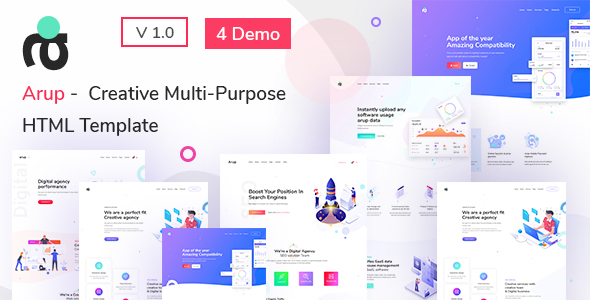
Project Overview
Arup is a creative multi-purpose HTML website template designed as a business/corporate website solution. It includes various page templates such as Home, About, Blog, Portfolio, Services, and Contact pages, with responsive layout support. The template comes with a complete documentation site explaining the template structure and configuration methods.
Tech Stack
- Bootstrap 3.x (Documentation) / Bootstrap 5.x (Main Template)
- jQuery + jQuery UI
- Font Awesome Icon Library
- mCustomScrollbar (Sidebar Scrolling)
- Prism.js / jQuery Highlight (Code Highlighting)
- Owl Carousel, Swiper, jarallax and other third-party components
- Google Fonts (Poppins, Open Sans, Overpass, Nunito)
Project Structure
text
aruphtml-10/arup-package-html/
├── arup-documentations/          # Template official documentation site
│   ├── index.html
│   ├── css/
│   │   ├── style.css             # Documentation main styles
│   │   ├── bootstrap.css
│   │   ├── font-awesome.css
│   │   └── jquery.highlight.css
│   ├── fonts/
│   ├── images/
│   └── js/
│       ├── script.js             # Navigation/scroll logic
│       └── ...
└── arup-html-files/              # Actual website template source files
    ├── index.html                # Home page template
    ├── about.html / contact.html / ...
    └── assets/                   # Styles/scripts/images and other resources
Core File Description
arup-documentations/index.html— Documentation homepage entry, includes template usage instructionsarup-documentations/css/style.css— Documentation site main styles, defines sidebar and content area layoutarup-documentations/js/script.js— Documentation navigation (onePageNav) and scrollbar initializationarup-html-files/index.html— Main template homepage, includes complete structure with top navigation, carousel, sidebar widgets, etc.arup-html-files/assets/css/arup.css— Main template business styles (includes responsive rules)
Quick Start
- View Documentation Site: Open
arup-documentations/index.htmldirectly in your browser and scroll to read template configuration instructions - Preview Main Template: Open
arup-html-files/index.htmlto see the complete homepage effect - Local Development: It is recommended to use tools like VS Code Live Server to start a local server to avoid cross-origin issues with some resources
Usage Suggestions
All third-party dependencies (Bootstrap, jQuery plugins, etc.) in the main template are already built into the assets/vendors/ directory, no additional installation required. When customizing styles, please modify the corresponding files under assets/css/ instead of directly overwriting the vendors directory, to ensure compatibility with future template upgrades.
