Project Introduction
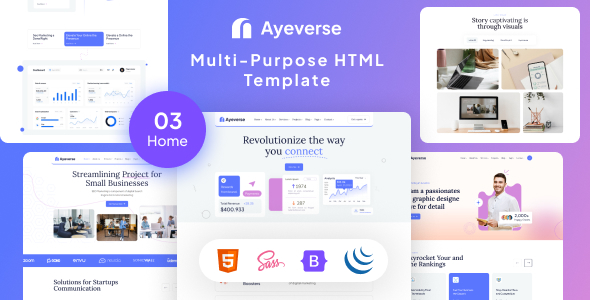
Ayeverse is a versatile Bootstrap-based HTML template suitable for corporate websites, service showcases, portfolios, or blog sites. The template offers three homepage variants, complete service/project/blog pages, and a contact form page, along with built-in carousels, animations, responsive layouts, and other common features.
Tech Stack
- Bootstrap 5 (CSS framework)
- jQuery (DOM manipulation and interactions)
- Swiper (carousel component)
- AOS (scroll animations)
- Leaflet (map component)
- Isotope (gallery filtering layout)
- SCSS (preprocessor, pre-compiled)
- Google Fonts (Lora, Plus Jakarta Sans)
Project Structure
ayeverse/
├── index.html             # Homepage (version one)
├── home-2.html            # Homepage variant two
├── home-3.html            # Homepage variant three
├── about.html             # About us
├── service.html           # Service list
├── service-details.html   # Service details
├── project.html           # Project showcase
├── project-details.html   # Project details
├── blog.html              # Blog list
├── blog-details.html      # Blog details
├── pricing.html           # Pricing page
├── contact.html           # Contact page
├── css/
│   ├── style.css          # Main stylesheet (compiled)
│   ├── bootstrap.min.css  # Bootstrap core styles
│   ├── swiper-bundle.css  # Swiper carousel styles
│   ├── aos.css            # Animation styles
│   └── nice-select.css    # Dropdown select styles
├── js/
│   └── main.js            # Interaction logic (navigation, carousel, counters, etc.)
├── fonts/                 # Font Awesome icon fonts
├── img/                   # Page image assets
└── scss/                  # SCSS source files (for custom styling)
Key File Descriptions
index.html— Main entry page with full navigation, hero section, services, case studies, testimonials, and other modulescss/style.css— Main stylesheet defining theme colors (#d589dd, #5a76ff), spacing system, and typography rulesjs/main.js— Core interaction script handling sticky navigation, carousel initialization, number scrolling, grid filtering, and morecontact.html— Contact page with built-in Leaflet map and form input areascss/— SCSS source directory for recompiling styles by modifying variable files
Quick Start
This is a pure static project with no dependencies to install. Simply open index.html in your browser to preview all pages. For further development, it's recommended to use VS Code with the Live Server extension to start a local server and avoid cross-origin issues.
Usage Suggestions
The template has a complete structure and is suitable for going live after directly replacing text and images. To adjust theme colors, modify the --primary and --secondary values in the :root variable section at the top of style.css. The SCSS source directory is provided for deeper style customization.
