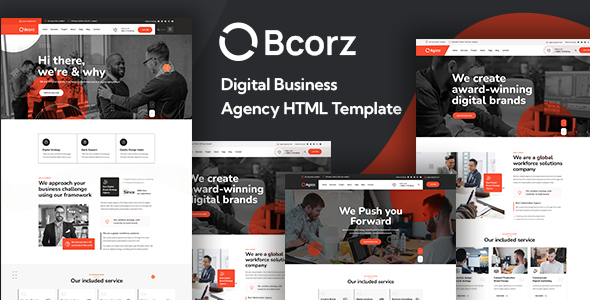
Project Overview
Bcorz is a set of HTML website templates designed for digital marketing agencies. It includes multiple complete pages such as Home, About, Blog, Services, Portfolio, and Team, featuring a clean and modern style suitable for digital marketing companies, creative studios, or internet service providers to quickly build their official websites.
Tech Stack
- HTML5 + CSS3 (Static Pages)
- Bootstrap 5.x (Responsive Layout Framework)
- Font Awesome 6.x (Icon Library)
- IcoMoon (Custom Icon Font bcorz-icons)
- jQuery (Interactive Scripts)
- Google Fonts (Nunito, Manrope)
Project Structure
text
bcorzhtml-10/
├── bcorz-package-files/
│   ├── bcorz-html-documentations/    # Template Usage Documentation
│   │   ├── index.html
│   │   ├── css/
│   │   └── images/
│   ├── bcorz-html-files/             # Actual Template Pages
│   │   ├── index.html
│   │   ├── index2.html
│   │   ├── index3.html
│   │   ├── about.html
│   │   ├── blog*.html
│   │   ├── services.html
│   │   ├── project*.html
│   │   ├── team*.html
│   │   └── assets/
│   └── bcorz-icons/                  # Custom Icon Font
│       └── style.css
Core File Description
bcorz-html-files/index.html— Homepage entry, includes complete sections like Header, Services Showcase, Portfolio, Teambcorz-html-files/assets/css/bcorz.css— Main stylesheet defining visual styles for all page elementsbcorz-html-files/assets/vendors/bootstrap/css/bootstrap.min.css— Bootstrap framework core stylesbcorz-icons/style.css— Custom icon font styles, using[class^="icon-"]selectors to declare various business iconsbcorz-html-documentations/index.html— Official documentation page, includes HTML structure, CSS instructions, and third-party configuration guides
Quick Start
- Download and extract the template package
- Navigate to the
bcorz-package-files/bcorz-html-files/directory - Double-click
index.htmlto preview in a browser, or run using a local server like VS Code Live Server - To modify page content, directly edit the text and image paths in the corresponding HTML files
Usage Suggestions
- The template includes multiple homepage variants (index.html, index2.html, index3.html) — choose or merge based on brand style
- Custom icons (e.g., icon-bulb-business-idea, icon-chart-graph-pie) are defined in
bcorz-icons/style.css; to replace icons, regenerate the font file via the IcoMoon platform
