Project Overview
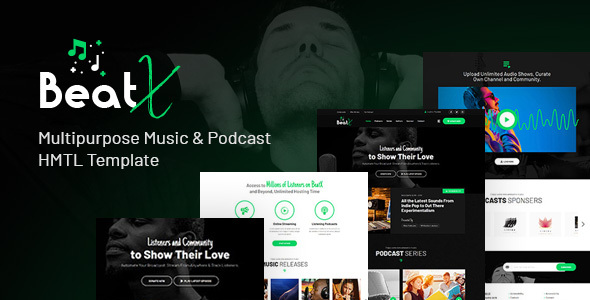
BeatX is a professional audio podcast and music website HTML template built on Bootstrap 4, offering 9 homepage layouts, multiple podcast/blog pages, and full responsive support, ideal for quickly building audio content platforms.
Tech Stack
- Bootstrap 4
- jQuery
- jPlayer (audio player)
- Slick Slider (carousel)
- Font Awesome
- Flaticon
- RTL Support
Project Structure
text
beatxhtml-10/package/
├── documentation/
│   ├── index.html          # Template usage documentation
│   ├── css/
│   └── js/
└── html/
    ├── index.html          # Homepage (main entry)
    ├── index2~index8.html  # 8 homepage variants
    ├── index-dark.html     # Dark mode homepage
    ├── podcasts.html       # Podcast list
    ├── blog-*.html         # Blog-related pages
    ├── authors.html        # Authors page
    ├── sponsors.html       # Sponsors page
    ├── contact.html        # Contact page
    ├── login-register.html # Login/Register
    ├── css/                # Stylesheets (6 color schemes included)
    └── images/             # Image assets
Core Files
html/index.html— Main template entry pagehtml/css/style.css— Main stylesheethtml/css/color.css— Color theme filehtml/css/bootstrap.min.css— Bootstrap framework styleshtml/css/responsive.css— Responsive adaptation stylesdocumentation/index.html— Official documentation page
Quick Start
Open beatxhtml-10/package/html/index.html directly in your browser to preview. For a local server, run:
bash
npx serve beatxhtml-10/package/html
# or
python -m http.server 8080 -d beatxhtml-10/package/html
Usage Tips
- To switch color schemes, replace
color.csswith one ofcolor1.css~color6.css - RTL mode supported: add the
rtlclass to the<body>tag - Audio player depends on jPlayer; ensure all files in the
js/directory are complete
