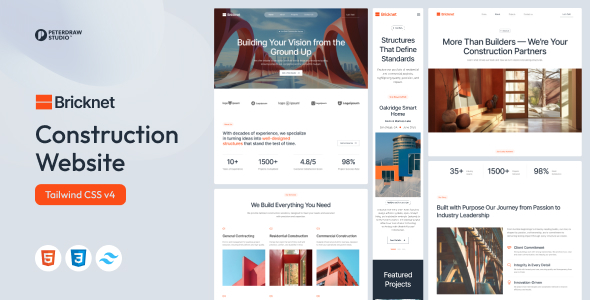
Project Overview
Bricknet is a static HTML website template designed for architecture/engineering companies, produced by PeterDraw Studio. Built on TailwindCSS v4 without jQuery, this template includes multiple pages such as Home, About, Projects, Project Details, and Contact, making it ideal for quickly building a professional corporate showcase site for construction businesses.
Tech Stack
- HTML5 — Semantic tags, SEO-friendly
- TailwindCSS v4 — Styling framework (pre-compiled into a single CSS file)
- Vanilla JavaScript — Interaction logic, no external dependencies
- AOS.js — Scroll animations (CDN)
- Swiper.js — Carousels and slideshows (CDN)
- Shuffle.js — Project gallery filtering (CDN)
- Plyr.js — Video player supporting HTML5/YouTube/Vimeo (CDN)
- Phosphor Icons — Icon library (CDN)
- Formspree — Form backend service
Project Structure
text
bricknet-template/
├── bricknet-html/
│   ├── index.html          # Homepage
│   ├── home.html           # Homepage (alternate version)
│   ├── about.html          # About Us
│   ├── projects.html       # Project list
│   ├── project-details.html # Project details
│   ├── contact.html        # Contact Us
│   ├── assets/
│   │   └── main-BL-C0xJq.css
│   ├── js/
│   │   └── main.js
│   ├── images/             # WebP image assets
│   └── *.webmanifest       # PWA manifest
└── bricknet-doc/
    └── index.html          # Official documentation
Key File Descriptions
bricknet-html/index.html— Main entry point of the websitebricknet-html/assets/main-BL-C0xJq.css— Compiled TailwindCSS stylesheetbricknet-html/js/main.js— Interactions including navbar scroll color change, mobile menu, autoplay video backgroundbricknet-html/projects.html— Project gallery with Shuffle.js filteringbricknet-html/contact.html— Contact form integrated with Formspreebricknet-doc/index.html— Complete usage documentation (including CDN resources, deployment methods, etc.)
Quick Start
- Deploy the
bricknet-template/bricknet-html/directory to any web server or static hosting platform - Open
index.htmlin your browser to preview
Usage Recommendations
- To modify styles, edit
assets/main-BL-C0xJq.cssdirectly (or recompile from TailwindCSS source) - The video background is muted and autoplays by default; it is recommended to prepare WebP placeholder images as a fallback
