Project Overview
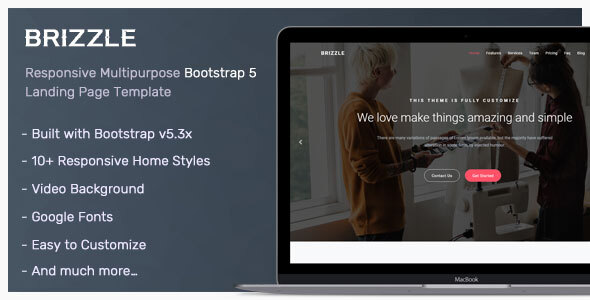
Brizzle is a responsive landing page template based on Bootstrap 5, suitable for app promotion, corporate websites, product showcases, and more. The template includes 10 different homepage layouts covering common modules such as service introductions, feature highlights, customer testimonials, team showcases, pricing plans, subscription forms, and comes with complete documentation.
Tech Stack
- Bootstrap 5.3.2
- jQuery
- Static HTML/CSS/JS (no build tools required)
Project Structure
Brizzle_HTML_v3.0.0/
├── Documentation/
│   ├── index.html          # Documentation homepage
│   ├── css/
│   └── favicon.ico
└── HTML/
    ├── index-*.html        # 10 homepage variants
    ├── css/
    │   ├── style.css       # Main stylesheet
    │   └── *.min.css       # Plugin styles
    ├── js/
    │   └── app.js          # Main script (navigation, scrolling, video modals, etc.)
    └── images/              # Image assets
Core File Descriptions
HTML/index-*.html— 10 homepage templates, choose based on your use caseHTML/css/style.css— Main stylesheet containing styles for all sections (navbar, hero, services, features, CTA, testimonials, team, pricing, subscription, FAQ, blog, contact form, footer)HTML/js/app.js— Main script handling sticky navbar, anchor scroll highlighting, scroll listening, video modals, back-to-top, contact form submission, and other interactive logicHTML/css/YTPlayer.css/magnific-popup.css— Video background and image modal plugin stylesHTML/images/— Background images, logos, icons, etc. Replace with your actual content
Quick Start
Pure static project, no dependencies to install. Simply open any index-*.html file directly in your browser to preview, for example:
# macOS
open HTML/index-1.html

# Windows
start HTML\index-1.html

# Or use any static server
npx serve HTML
To modify content, use a text editor to directly edit the text and image paths in the corresponding HTML files.
Usage Recommendations
The template uses Bootstrap's grid system and components. Replace the logo, background images, and copy text, and it's ready to go live. Note that the contact form in app.js uses $.post to submit to the URL specified in the action attribute, which requires a backend API or email service (such as EmailJS).
