Project Overview
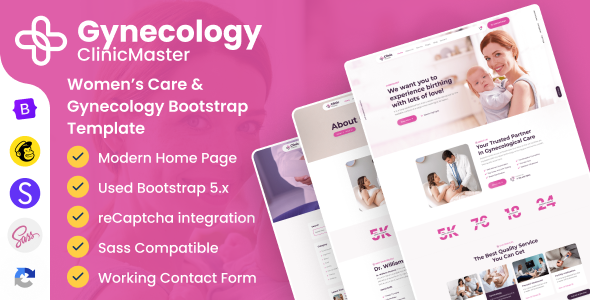
ClinicMaster is a Bootstrap responsive HTML template designed for gynecology clinics and women's health medical facilities. It includes complete pages such as Home, Services, Team, Appointment Form, Blog, and supports 8 color theme options, making it ideal for quickly building professional medical websites.
Tech Stack
- HTML5 + Bootstrap 5
- CSS3 (includes SCSS source files for custom compilation)
- Vanilla JavaScript + jQuery
- Google Fonts (Poppins, Playfair Display, Montserrat)
- Font Awesome 5 Icon Library
Project Structure
text
ClinicMaster-Gynecology-v1.0/
├── doc/                          # Template documentation
│   ├── index.html                # Documentation homepage
│   ├── css/style.css             # Documentation styles
│   ├── js/custom.js
│   └── plugins/
├── package/                      # Template main files
│   ├── index.html                # Homepage
│   ├── about-us.html             # About Us
│   ├── appointment.html          # Appointment page
│   ├── contact-us.html           # Contact page
│   ├── services.html             # Services list
│   ├── team.html                 # Team showcase
│   ├── blog-grid.html            # Blog grid
│   ├── pricing-table.html        # Pricing table
│   ├── css/style.css             # Compiled styles
│   ├── package.json              # npm configuration
│   └── js/                       # JS file directory
Core File Description
package/index.html— Template homepage entry, includes full header, navigation, and footer structurepackage/css/style.css— Compiled complete stylesheet (approximately 1000 lines)package/package.json— Sass compilation configuration, can watch and compile vianpm run sassdoc/index.html— Template usage documentation, includes folder structure and basic HTML structure explanationpackage/js/custom.js— Interaction logic (navigation, animations, plugin initialization)package/js/dz.ajax.js— Ajax request wrapper (used for form submissions, etc.)
Quick Start
- Open
package/index.htmldirectly in a browser to preview the full effect. - To modify styles, navigate to the
package/directory and run:Sass will watch thebashnpm install npm run sassscss/directory and automatically compile tocss/style.css.
Usage Suggestions
The template comes with 8 preset skin color schemes (switchable via the data-theme-color attribute). Choose the corresponding skin based on the clinic's brand color. The documentation page (doc/index.html) includes integration instructions for third-party services such as reCAPTCHA and MailChimp, which should be reviewed before deployment.
