Project Overview
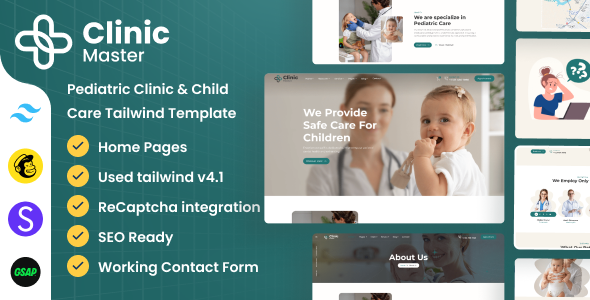
ClinicMaster is a pediatric clinic and children's health website template built with Tailwind CSS, suitable for pediatric clinics, children's hospitals, healthcare institutions, and similar scenarios. The template includes complete pages such as Home, Services, Team, Blog, Appointment, and Contact, with responsive layout and multi-skin theme switching functionality.
Tech Stack
- Tailwind CSS v4.1.11
- jQuery (interaction logic)
- Bootstrap (partial component support)
- Font Awesome (icons)
- Google Fonts (Poppins font)
- PerfectScrollbar (scrollbar customization)
Project Structure
text
Tailwind-Pediatrics-v1.0/
├── doc/                          # Template documentation
│   ├── index.html                # Documentation homepage
│   ├── css/style.css             # Precompiled styles
│   ├── fonts/                    # Font files
│   ├── images/                   # Documentation image assets
│   └── js/custom.js              # Documentation page interaction scripts
├── package/                      # Development build configuration
│   ├── package.json              # npm dependencies and scripts
│   ├── assets/                   # Static assets
│   └── src/                      # Page source files
│       ├── index.html            # Homepage
│       ├── about-us.html
│       ├── services.html
│       ├── team.html
│       ├── contact-us.html
│       └── ...
Core File Description
package/package.json— npm configuration, defines Tailwind CSS compilation commandspackage/src/— Website page source files, directory containing all HTML pagespackage/assets/— Static assets directory (CSS, JS, images, etc.)doc/css/style.css— Documentation page specific stylesdoc/index.html— Template usage documentation page
Quick Start
- Enter the
packagedirectory and install dependencies:bashcd Tailwind-Pediatrics-v1.0-25_Oct_2025/package npm install - Start Tailwind CSS watch compilation:
bash
npm run dev - Open
package/src/index.htmlin your browser to preview
Usage Recommendations
- The template includes multiple built-in skin themes (switchable via the
data-theme-colorattribute), which can be selected or extended based on brand requirements. - For production deployment, replace
assets/css/style.csswith the Tailwind compiled output file to ensure complete style loading. - Third-party CDN resources referenced in the pages (such as Bootstrap, Font Awesome) need to be downloaded and paths updated for offline environments.
