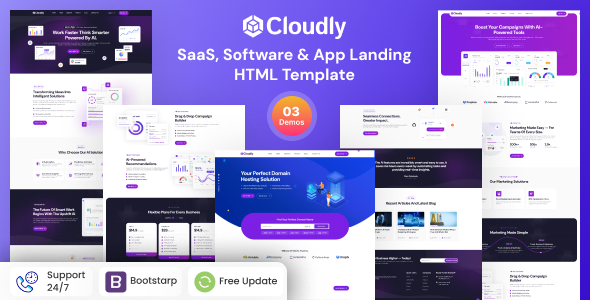
Project Overview
Cloudly is a set of static HTML website templates designed for SaaS and software products, featuring over ten business pages including homepage, about, news, case studies, team, and supporting product documentation pages. Ideal for quickly building software company websites, SaaS landing pages, or technical product showcase sites.
Tech Stack
- Static HTML5 + CSS3
- jQuery (sidebar, scroll interactions, search filtering)
- Bootstrap 5 (grid and base components)
- Font Awesome 6 (icons)
- Google Fonts (Hind font)
- Swiper, MeanMenu, Magnific Popup and other plugins
Project Structure
text
cloudlyhtml-10/
├── buyer-file/
│   └── cloudly/
│       ├── index.html              # Homepage
│       ├── about.html              # About Us
│       ├── contact.html            # Contact Page
│       ├── faq.html                 # FAQ
│       ├── index-2.html             # Homepage Variant 2
│       ├── index-3.html             # Homepage Variant 3
│       ├── news.html                # News List
│       ├── news-grid.html           # News Grid
│       ├── news-details.html        # News Details
│       ├── pricing.html             # Pricing Page
│       ├── project.html             # Project List
│       ├── project-details.html     # Project Details
│       ├── service.html             # Service List
│       ├── service-details.html     # Service Details
│       ├── team.html                # Team Members
│       ├── team-details.html        # Member Details
│       └── assets/                  # Style and Script Resources
└── documentation/
    ├── index.html                  # Template Documentation Page
    └── assets/
        ├── css/                    # Documentation Styles (style.css, responsive.css)
        ├── fonts/
        ├── images/
        └── js/                     # Documentation Interaction Scripts (main.js)
Key File Descriptions
buyer-file/cloudly/index.html— Homepage entry, showcasing core product features and CTAbuyer-file/cloudly/assets/css/main.css— Main template stylesheetbuyer-file/cloudly/assets/js/main.js— Template interaction logic (navigation, animations, scroll listeners)documentation/index.html— Official documentation page with template structure explanationsdocumentation/assets/css/style.css— Documentation page styles, including CSS variables and responsive breakpointsdocumentation/assets/js/main.js— Documentation sidebar expand/collapse and search filtering logic
Quick Start
- Navigate to the
buyer-file/cloudly/directory - Open
index.htmldirectly in a browser to preview - To run a local server, execute:
bash
npx serve buyer-file/cloudly
# or
python3 -m http.server 8080
Usage Tips
All pages in the template share the same assets directory, so modifying CSS/JS will take effect globally. Before going live, replace the logo, add product copy and contact information, and check mobile dropdown menus and responsive layout compatibility.
