Project Overview
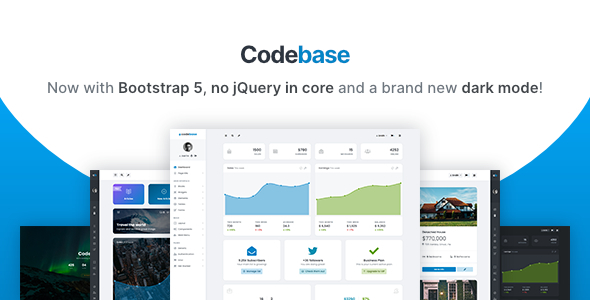
Codebase is a Bootstrap 5 admin dashboard template and UI framework by pixelcave, version 5.10.0. The project provides a large collection of reusable page templates, UI components (charts, tables, form validation, etc.), along with complete theme switching and dark mode support, suitable for quickly building enterprise-level backend management systems.
Tech Stack
- Bootstrap 5.3.3 (core CSS framework)
- jQuery 3.7.1 (DOM manipulation and plugin ecosystem)
- Gulp 5 + Sass (build and style preprocessing)
- Chart.js, DataTables, FullCalendar, CKEditor 5, and other common component libraries
Project Structure
text
codebase-510/Codebase 5.10 by pixelcave/
├── 01 Codebase Source (HTML)/
│   ├── src/                          # HTML example pages
│   ├── gulpfile.babel.js             # Gulp build configuration
│   ├── package.json
│   └── assets/                       # Compiled output directory (CSS/JS, etc.)
├── 02 Codebase Source (PHP)/          # PHP version (same structure)
└── THEMELOCK download instructions file
Core File Descriptions
src/be_pages_auth_all.html— Authentication pages collection (login, registration, password recovery, etc.)src/be_layout_default.html— Default layout template (sidebar + content area)src/be_comp_charts.html— Chart.js component demosrc/be_forms_validation.html— Form validation and error display examplessrc/be_layout_hero_image.html— Full-screen Hero layoutgulpfile.babel.js— Gulp task configuration, managing CSS compilation and asset building
Quick Start
bash
cd "01 Codebase Source (HTML)"
npm install
npm run dev
After the build completes, start the local server and open any .html file under src/ in the browser to preview.
Usage Recommendations
Codebase offers multiple layout variants (fixed sidebar, collapsible sidebar, glassmorphism header, etc.) and dark mode switching, which can be toggled by adding CSS classes to #page-container. It is ideal for scenarios requiring multiple backend UI styles.
