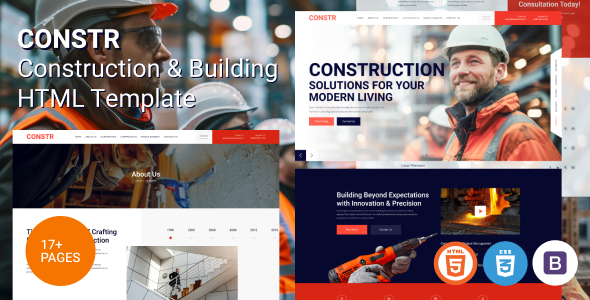
Project Overview
Constr is a static HTML website template designed for the construction and building engineering industry. It features a responsive design and supports multiple business scenarios including homepage, service details, project showcase, team, blog, FAQ, and pricing pages. The template includes interactive effects such as GSAP animations, Swiper carousels, and AOS scroll animations, making it ideal for quickly building a professional website for construction companies or contractors.
Tech Stack
- HTML5 + CSS3 (native code, with Sass source support)
- Bootstrap 5 (grid system and base components)
- GSAP (advanced animation engine)
- Swiper (carousel/slider)
- AOS (scroll fade-in animations)
- LightGallery (image gallery)
- Google Fonts (Heebo / Questrial)
Project Structure
constrhtml-10/Const - Constuction & Building HTML Template/
├── index.html                    # Homepage
├── about.html                    # About Us
├── service.html                  # Services List
├── service-details.html          # Service Details
├── projects.html                 # Project Cases
├── project-details.html          # Project Details
├── team.html                     # Team Members
├── team-details.html             # Member Details
├── blog.html                     # Blog List
├── blog-standard.html            # Blog Standard View
├── blog-details.html             # Blog Article Page
├── contact.html                  # Contact Us
├── pricing.html                  # Pricing Page
├── faq.html                      # FAQ
├── gallery.html                  # Image Gallery
├── 404.html                      # Error Page
├── coming.html                   # Coming Soon
└── assets/
    ├── css/style.css             # Compiled main stylesheet
    ├── sass/                     # Sass source files (for customization)
    ├── fonts/flaticon.css        # Icon font stylesheet
    └── js/main.js                # All interactive logic
Core File Descriptions
index.html— Homepage entry point, includes complete sections such as Banner, project showcase, and service introductionassets/css/style.css— Main stylesheet covering typography, colors, components, and responsive breakpointsassets/sass/style.css— Sass source directory, can be rebuilt using a Sass compilerassets/js/main.js— Interactive scripts including preloader animation, mobile menu, Swiper initialization, GSAP configuration, and 20+ functional modulesassets/fonts/— Flaticon icon font file directoryassets/img/— Built-in image resources, including placeholder images and background images
Quick Start
- Upload the contents of the
Constr - Constuction & Building HTML Templatefolder to your server or local web server directory; - Open
index.htmlin your browser to preview the full effect; - For Sass customization, it is recommended to use VS Code with the Sass plugin or the command-line
sasstool to recompile.
Usage Tips
The template includes a data-src lazy-loading image mechanism and GSAP animations. When deploying for the first time, ensure that image paths are replaced with actual assets to avoid placeholder images consuming bandwidth. Business content (contact information, project data, etc.) can be directly edited and replaced in the corresponding HTML files.
