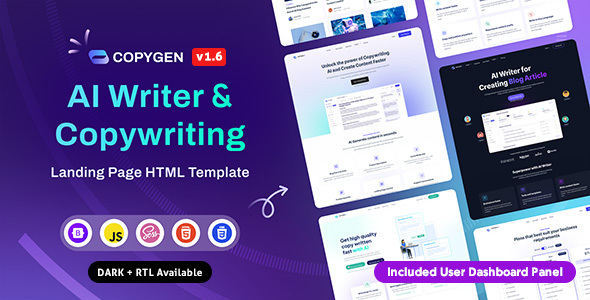
Project Overview
CopyGen is a Bootstrap 5-based AI content generator landing page and admin dashboard HTML template, featuring 7 homepage variants, forms, payments, document editors, and other complete pages, along with RTL layout support. Ideal for quickly prototyping the frontend of an AI SaaS product.
Tech Stack
- Bootstrap v5.3.0
- Gulp 4 (Build Tool)
- SCSS / Sass (Style Preprocessor)
- Swiper, GLightbox, Masonry-layout, Typed.js (Interaction & Animation Libraries)
- TinyMCE, Choices.js, PrismJS (Dashboard-specific Components)
Project Structure
text
copygenhtml-150/
├── copygen-html/          # Landing Page Templates
│   ├── html/
│   │   ├── index.html     # Homepage (7 Variants)
│   │   ├── login.html
│   │   ├── create-account.html
│   │   └── assets/
│   └── rtl-html/           # RTL Layout Version
├── copygen-dashboard/     # Admin Dashboard Templates
│   ├── html/
│   │   ├── document-editor.html
│   │   ├── templates-list.html
│   │   └── profile.html
│   ├── gulpfile.js
│   └── package.json
└── docs/                  # Official Documentation
    └── index.html
Key File Descriptions
copygen-html/html/index.html— Main landing page entry, includes navigation and homepage variant switchingcopygen-dashboard/html/templates-list.html— Template list page with filtering and paginationcopygen-dashboard/html/document-editor.html— Rich text document editor (based on TinyMCE)copygen-dashboard/gulpfile.js— Gulp build configuration, supports SCSS compilation and RTL conversioncopygen-html/rtl-html/— RTL (Right-to-Left) layout versions of all landing pagesdocs/index.html— Official template documentation, includes quick start and structure explanation
Quick Start
bash
cd copygen-dashboard
npm install
npx gulp
For static pages, you can directly open copygen-html/html/index.html in a browser.
Usage Recommendations
The dashboard section depends on large libraries like TinyMCE. If you don't need all features, you can remove the corresponding dependencies as needed. The RTL version is pre-built; use the files under rtl-html/ directly to support languages like Arabic.
