Project Overview
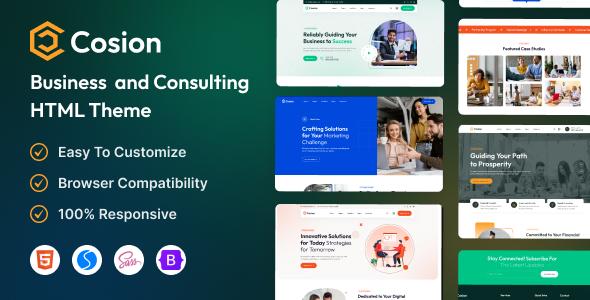
Cosion is a set of HTML5 static templates designed for enterprise consulting services, featuring 4 homepage styles (Corporate Business, Market Consulting, Financial Advisory, Digital Solutions) and covering complete modules such as pages, corporate team, portfolio, pricing, blog, and shop. It's ready to use out of the box with no build tools required.
Tech Stack
- Bootstrap 5
- jQuery
- Swiper / Slick (carousels)
- Magnific Popup (modals)
- Animate.css (animations)
- Counter-Up (number counters)
- Font Awesome 6 / Flaticon (icons)
- SCSS (style source)
Project Structure
cosion-html/
├── documentation/     # Template usage documentation
│   ├── index.html
│   ├── css/
│   ├── js/
│   └── img/
└── main-file/         # Actual template files
    ├── index.html     # Homepage entry
    ├── about.html
    ├── service*.html
    ├── portfolio*.html
    ├── team*.html
    ├── blog-*.html
    ├── shop.html / cart.html / check-out.html
    ├── assets/
    │   ├── css/       # Compiled CSS
    │   ├── sass/      # SCSS source
    │   ├── js/
    │   ├── webfonts/
    │   └── img/
    └── *.html         # Other page templates
Key Files
main-file/index.html— Main homepage file; the navigation menu includes 4 homepage variants and all sub-page entriesmain-file/assets/sass/style.scss— Main SCSS entry point; modify here to adjust the overall thememain-file/assets/css/bootstrap.min.css— Bootstrap framework core stylesmain-file/assets/js/scripts.js— Global interaction logic (preloader, mobile menu, etc.)documentation/index.html— Official documentation explaining how to replace logos, colors, images, and iconsmain-file/shop.html— Shop template, used together withcart.htmlandcheck-out.html
Quick Start
Simply open main-file/index.html in your browser to preview all pages.
To modify styles, we recommend using VS Code with the Live Sass Compiler plugin to compile SCSS; all image replacements are located in the assets/img/ directory.
Usage Tips
The template includes multi-level dropdown menus and a shopping cart flow, making it suitable for quickly building landing pages for consulting firms or SaaS products. When deploying, consider removing unused icon fonts from assets/webfonts/ to reduce bundle size.
