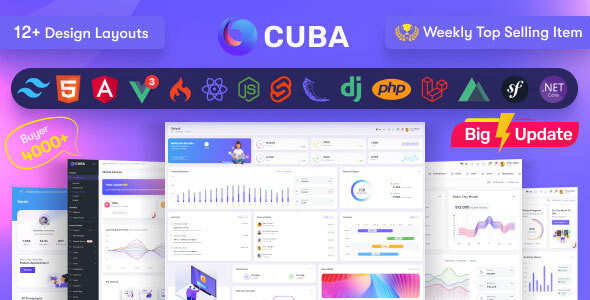
Project Overview
Cuba Admin is a multi-framework backend management template that provides 16 different tech stack implementations (HTML, React, Angular, Vue, Svelte, Next.js, Nuxt.js, Django, Flask, Laravel, Node.js, CodeIgniter, PHP, Symfony, ASP.NET). The template includes complete modules for dashboards, e-commerce, user management, permission control, reporting systems, and more, making it suitable for quickly building enterprise-level backend management platforms.
Tech Stack
- Frontend Frameworks: React 18 (with context), Angular 19, Vue 3, Svelte, Next.js, Nuxt.js
- Backend Frameworks: Django, Flask, Laravel 11, Node.js, CodeIgniter, PHP, Symfony, ASP.NET
- Pure Static: HTML5 + JavaScript (full page implementation provided)
Project Structure
cubaadmin-111/
├── HTML.zip               # Pure static HTML version
├── react_context.zip      # React + Context API version
├── angular.zip            # Angular 19 version
├── VUE.zip                # Vue 3 version
├── svelte.zip             # Svelte version
├── next.zip               # Next.js version
├── nuxt.zip               # Nuxt.js version
├── django.zip             # Django version
├── flask.zip               # Flask version
├── laravel.zip            # Laravel 11 version
├── node.zip               # Node.js + Express version
├── codeigniter.zip        # CodeIgniter version
├── php.zip                # PHP native version
├── symfony.zip            # Symfony version
├── asp.net.zip            # ASP.NET version
├── changelog.txt          # Version update log
└── documentation-readme.txt  # Framework documentation links
Core File Descriptions
HTML.zip— Pure static template, previewable without building, suitable for rapid prototypingreact_context.zip— React 18 + Context API implementation with state managementangular.zip— Angular 19 implementation with component-based architecturelaravel.zip— Laravel 11 version with authentication, roles, users, blog, and other management moduleschangelog.txt— Detailed version iteration recordsdocumentation-readme.txt— Official documentation links for each framework version
Quick Start
- Extract the
.zipfile for your chosen tech stack - Pure static version (HTML): Double-click
index.htmlor start a local server - Node.js framework version: Install dependencies as per documentation and run
- Backend framework version (Laravel/Django, etc.): Configure the database and start the service
Usage Recommendations
Choose the version that matches your team's tech stack. The Laravel 11 version has the most complete features (including authentication, RBAC permissions, blog management, etc.) and is suitable for use as a foundation for backend projects. All versions share a consistent UI design specification.
