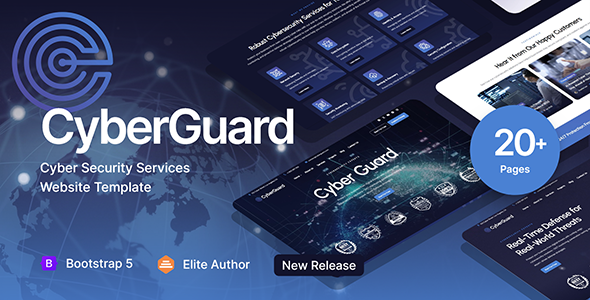
Project Overview
CyberGuard is a static HTML template designed for cybersecurity service companies, built on Bootstrap. It includes complete pages such as Home, About, Service Details, Blog, Project Showcase, and Contact Form. Features built-in dark/light theme switching and three color schemes, making it ideal for security firms, penetration testing service providers, or MSPs (Managed Service Providers) to quickly build their official website.
Tech Stack
- Bootstrap 5 (CSS Framework)
- Swiper.js (Carousel Component)
- Google Fonts: Urbanist / DM Sans
- Font Awesome 4 & 6, ET Line Icons, Icofont (Icon Libraries)
- PHP (Only contact.php / booking.php for form backend)
Project Structure
text
CyberGuard HTML/
├── index.html               # Homepage (Main Entry)
├── homepage-2.html          # Homepage Variant
├── about.html               # About Us
├── services.html           # Services List
├── service-single.html      # Single Service Detail
├── projects.html            # Project Cases
├── project-single.html      # Single Case Detail
├── blog.html                # Blog List
├── blog-single.html         # Blog Article
├── pricing.html             # Pricing Page
├── appointment.html         # Appointment Page
├── contact.html             # Contact Us (Static)
├── contact.php              # Contact Us (PHP Form)
├── booking.php              # Appointment Form Backend
├── css/
│   ├── style.css            # Main Styles (with CSS Variables)
│   ├── bootstrap.min.css    # Bootstrap
│   ├── swiper.css           # Swiper Carousel
│   ├── plugins.css          # Plugin Styles
│   ├── colors/
│   │   ├── scheme-1.css     # Color Scheme 1 (Default)
│   │   ├── scheme-2.css     # Color Scheme 2
│   │   └── scheme-3.css     # Color Scheme 3
│   └── custom-swiper-1.css
└── images/                  # Icons, Logos, Background Images
Core File Description
index.html— Homepage entry, includes Banner, Feature Showcase, Case Carousel, etc.css/style.css— Global styles and CSS variables (colors, fonts, spacing defined at top)css/colors/scheme-*.css— Three color schemes, switchable by modifying thehrefpathcontact.php— Form processing backend (requires PHP server environment)appointment.html— Appointment/trial entry pagefonts/— Contains et-line / icofont / fontawesome icon fonts, no additional installation required
Quick Start
- Open
index.htmldirectly in your browser to preview the complete page. - For local server with hot reload (recommended), run the following in the directory:
Then visitbash
# Python 3 python -m http.server 8000http://localhost:8000 - To use PHP form functionality, deploy the project to a web server that supports PHP (e.g., XAMPP, Laragon).
Usage Suggestions
- The template includes a dark theme class
.dark-scheme. Add this class to thebodyelement to switch to dark mode; color schemes are implemented by replacing files incss/colors/. - All icons are introduced as fonts. To change colors, simply use the CSS
colorproperty — no need to replace images.
