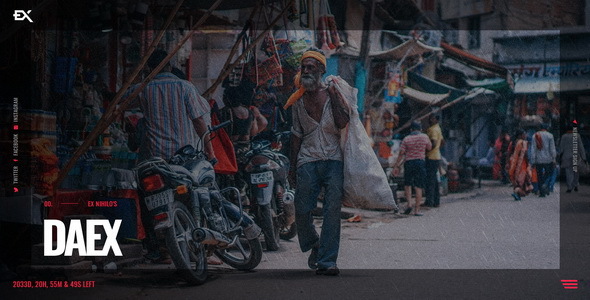
Project Overview
Daex is a creative "Coming Soon" page template offering 7 different visual effect variants, including parallax slider, Ken Burns gradient, fullscreen video background (YouTube/Vimeo/HTML5), and static image backgrounds. The template includes built-in countdown, newsletter subscription (MailChimp), contact form, and other services, suitable for product launches, website maintenance, or event warm-up scenarios.
Tech Stack
- HTML5 / CSS3 (Responsive Layout)
- jQuery + jQuery Plugins (Slick Slider, Swiper)
- PHP (Contact Form, Email Subscription Backend)
- MailChimp API
Project Structure
text
daexhtml-10/
├── Daex-v1-0-Template/
│   ├── index-*.html          # 7 homepage variants
│   ├── contact.php           # Contact form processing
│   ├── subscribe.php         # MailChimp subscription
│   ├── css/
│   │   ├── style.css         # Main styles
│   │   └── plugins.css       # Plugin styles
│   ├── js/
│   │   ├── daex.js           # Main interaction logic
│   │   └── plugins.js        # Third-party plugins
│   ├── img/                  # Image assets
│   └── mailchimp/inc/
│       └── MailChimp.php     # MailChimp SDK
└── Daex-v1-0-Documentation/   # Official documentation
Core File Description
index-*.html— 7 homepages with different visual effects (parallax, video background, Ken Burns, etc.)contact.php— Processes visitor-submitted contact forms and sends emailssubscribe.php— Connects to MailChimp API for newsletter subscription functionalitycss/style.css— All CSS styles defining background images, animations, buttons, etc.js/daex.js— Interaction logic for countdown, menu, subscription panel, etc.mailchimp/inc/MailChimp.php— MailChimp PHP SDK, used together with subscribe.php
Quick Start
- Open
Daex-v1-0-Template/index-SINGLE-IMAGE.htmldirectly in a browser to preview - Or set up a local server (e.g., php -S localhost:8000) to enable contact form and subscription functionality
- Modify
$myemailincontact.phpwith your actual email address - Update the API Key and List ID in
subscribe.phpto connect to MailChimp
Usage Suggestions
- Choose the appropriate homepage variant (video background for creative projects, static image for scenarios prioritizing load speed)
- In production, be sure to replace all placeholder content (email, API Key, images, social links)
