Project Overview
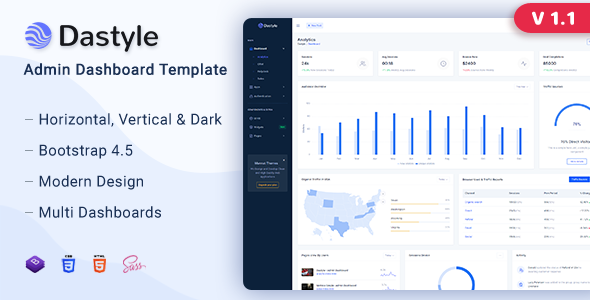
Dastyle is a backend admin template based on Bootstrap 4, featuring modules such as Dashboard, Email, Chat, E-commerce, and Task Management. It is ideal for quickly building SaaS platforms or internal management system prototypes for enterprises.
Tech Stack
- Bootstrap 4
- jQuery
- SCSS
- Gulp (Build Tool)
Project Structure
text
Dastyle-v1.1/
├── gulpfile.js          # Gulp build configuration
├── package.json         # Project dependencies
├── Documentation/        # Official documentation (includes style source files)
│   ├── index.html
│   ├── css/             # Compiled CSS
│   ├── scss/            # SCSS source files
│   └── js/
└── dastyle_v1.1/        # Actual template files for use
    └── *.html            # Various functional pages
Core File Description
gulpfile.js— Gulp automation build configuration, supports SCSS compilation and CSS minificationpackage.json— Defines project dependencies (gulp, sass, autoprefixer, etc.)Documentation/scss/style.scss— Style entry point fileDocumentation/js/app.js— Navigation interaction, scroll listening, anchor jumping, and other logicdastyle_v1.1/— Complete page collection (e-commerce, email, calendar, chat, and other business modules)
Quick Start
bash
cd Dastyle-v1.1
npm install           # Install dependencies
npx gulp              # Start build and watch for SCSS changes
After the build completes, open dastyle_v1.1/index.html directly in your browser to preview.
If no further development is needed, simply open any dastyle_v1.1/*.html file in your browser to view the effects.
Usage Suggestions
The template provides theme variants such as a dark sidebar. Modifying SCSS variables allows quick customization of colors and layout, making it a great starting point for backend system development.
