Project Overview
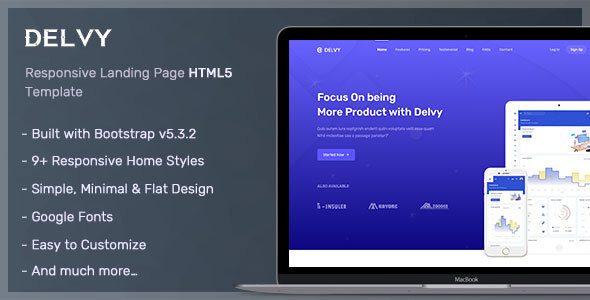
Delvy is a responsive multipurpose landing page template built on Bootstrap, suitable for app promotion, corporate websites, or agency showcases. It offers 9 different homepage variations that can be directly customized with your content.
Tech Stack
- Bootstrap 4.x (core framework)
- jQuery (DOM manipulation & interactions)
- Swiper, Owl Carousel (carousel components)
- Magnific Popup (image lightbox)
- Typed.js (typewriter effect)
- Flexslider (slideshow)
- mb_YTPlayer (video background)
- SCSS (source styles)
Project Structure
text
delvyhtml-110/Delvy_HTML_v1.1.0/
├── Documentation/          # Official documentation
│   └── index.html
└── HTML/
    ├── index-1.html ~ index-9.html   # 9 homepage variations
    ├── css/
    │   ├── bootstrap.min.css
    │   └── style.css                  # Main stylesheet
    ├── js/
    │   ├── jquery.js
    │   └── app.js                     # All interaction logic
    ├── scss/                          # SCSS source files
    ├── fonts/
    └── images/
Core Files Description
HTML/index-*.html— 9 homepage variations, choose one to modifyHTML/css/style.css— Main stylesheet defining all page element appearancesHTML/js/app.js— Contains all interactions including navigation scroll, carousels, lightbox, typewriter effectsHTML/scss/— SCSS source files for deep customizationDocumentation/index.html— Official documentation with plugin reference instructions
Quick Start
Since this is a pure static template, no dependency installation is required:
- Navigate to the
Delvy_HTML_v1.1.0/HTML/directory - Open
index-1.htmlor any other variation file in your browser to preview - Modify text and image paths in
index-*.htmlto replace content - Edit
css/style.cssorscss/source files to adjust styles
Usage Recommendations
- When replacing images in the
images/directory, keep filenames consistent or update the reference paths in CSS accordingly - Interactive effects (such as scroll animations, video backgrounds) depend on jQuery plugins; ensure
app.jsis loaded at the bottom of the page
