Project Overview
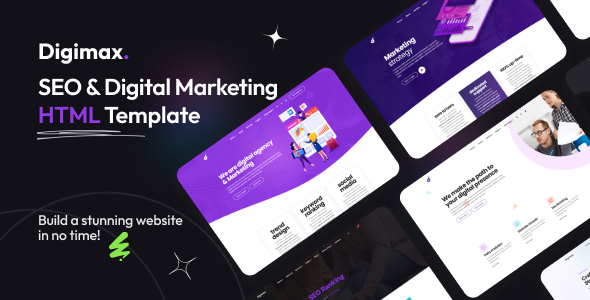
Digimax is a static HTML template designed for digital marketing and SEO agencies. It includes 6 homepage styles (both Multi-Page and One-Page modes), along with complete business pages such as blog, portfolio, services, team, pricing, and contact pages, making it ideal for quickly building marketing-oriented corporate websites.
Tech Stack
- HTML5 + CSS3 (static pages)
- Bootstrap 4 (grid system and base components)
- Font Awesome (icons)
- Flaticon (custom icon fonts)
- AOS (scroll animations)
- Owl Carousel (sliders)
- jQuery Fancybox (image lightbox)
- Google Fonts (Poppins + Roboto)
Project Structure
main-template/
  digimax-template-v1.0/
    index.html               ← Main homepage entry
    index-2.html ~ index-6.html
    index-one-page.html
    about.html
    contact.html
    services.html
    portfolio-*.html
    blog-*.html
    team.html / pricing.html
    404.html
    assets/
      css/
        style.css            ← Main stylesheet
        responsive.css       ← Responsive styles
      font/flaticon.css      ← Custom icon fonts
      js/active.js           ← Interaction logic
      php/mail.php           ← Email sending backend
  documentation/             ← Official documentation
Core File Descriptions
index.html— Main homepage, demo site entry pointassets/css/style.css— Global styles and module styles (approximately 25 sections)assets/font/flaticon.css— Custom icon font stylesassets/js/active.js— Navigation, scrolling, animation, and other interaction controlsassets/php/mail.php— Contact form backend (requires PHP environment)documentation/— Official customization documentation (backgrounds, buttons, icons, etc.)
Quick Start
Simply open digimax-template-v1.0/index.html in your browser to preview. If using VS Code, it is recommended to install the Live Server extension, then right-click → "Open with Live Server". To enable the contact form, you need to set up a local PHP environment or upload it to a server that supports PHP.
Usage Recommendations
The template provides 6 homepage variants. After selecting your preferred style, delete the unused homepage files to keep the directory clean. For style modifications, focus on editing style.css to avoid maintenance difficulties caused by making changes across individual pages.
