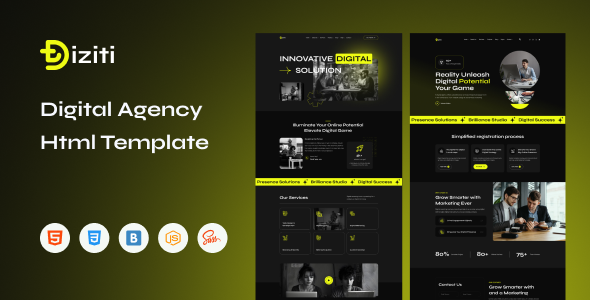
Project Overview
Diziti is a static HTML website template designed for digital marketing agencies. It includes multiple complete pages such as homepage, services, portfolio, team members, blog, and contact page, making it ideal for quickly building a digital agency or creative studio website. The template is built on Bootstrap and comes pre-integrated with various interactive effects and responsive layouts.
Tech Stack
- HTML5 + CSS3 (static pages)
- Bootstrap 5 (responsive grid and components)
- Font Awesome 6 (icon library)
- Animate.css (page animations)
- Swiper (carousel component)
- MeanMenu (mobile navigation)
- NiceSelect (custom dropdown)
- Magnific Popup (image/video lightbox)
Project Structure
diziti-html-package/
├── documentation/          # Template usage documentation (HTML)
│   └── index.html
└── download-version/      # Ready-to-use product version
    ├── assets/            # Public assets (css, js, images, etc.)
    ├── about.html
    ├── blog.html
    ├── blog-details.html
    ├── contact.html
    ├── index.html         # Homepage (Style 1)
    ├── index2.html        # Homepage (Style 2)
    ├── index3.html        # Homepage (Style 3)
    ├── project.html
    ├── project-details.html
    ├── service.html
    ├── service-details.html
    ├── team.html
    └── team-details.html
Key Files
download-version/index.html— Main homepage template with complete sections including Hero, portfolio, services, etc.download-version/contact.html— Contact page with form and contact informationdownload-version/project.html— Portfolio listing pagedownload-version/team.html— Team member showcase pagedownload-version/assets/css/main.css— Aggregated stylesheetdocumentation/index.html— Official usage documentation entry point
Quick Start
Open download-version/index.html directly in a browser, or deploy it to any static file server (e.g., Nginx, VS Code Live Server, etc.).
Usage Recommendations
All pages share the same assets resource directory. Edit main.css directly when modifying styles. For further development, refer to the template structure documentation in the documentation directory to ensure pages are added or replaced following the original organization.
