Project Overview
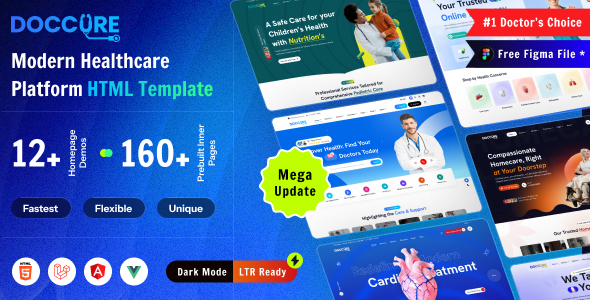
Doccure Documentation Template is a static documentation site designed for medical/clinic appointment systems, built with Bootstrap 5. The template provides navigation entry points for four technology versions: HTML, Laravel, Angular, and Vue, making it suitable as a unified documentation page for multi-framework products. No build tools required — simply open it in a browser to run.
Tech Stack
- Bootstrap 5 (CSS framework with responsive layout and dark mode support)
- jQuery 3 (DOM manipulation and plugin ecosystem)
- Prism.js (code syntax highlighting)
- Feather Icons (icon library)
- Poppins + Nunito (self-hosted Google Fonts)
- Isotope (masonry layout), Magnific Popup (modal windows), jQuery Zoom (image magnification)
Project Structure
doccure-204/
└── documentation/
    ├── index.html              # Main entry, four-framework navigation page
    ├── html.html               # HTML version documentation content page
    ├── laravel.html            # Laravel version documentation content page
    ├── angular.html            # Angular version documentation content page
    ├── vue.html                # Vue version documentation content page
    └── assets/
        ├── css/
        │   ├── bootstrap.min.css
        │   ├── style.css       # Main stylesheet
        │   ├── dark.css        # Dark theme styles
        │   ├── prism.css       # Code highlighting styles
        │   └── magnific-popup.css
        ├── js/
        │   ├── main.js         # Sidebar toggle, theme switching, responsive logic
        │   ├── bootstrap.bundle.min.js
        │   ├── jquery-3.6.4.min.js
        │   ├── prism.js        # Code block rendering
        │   ├── feather.min.js
        │   ├── isotope.pkgd.min.js
        │   └── jquery.magnific-popup.min.js
        └── fonts/              # Poppins / Nunito font files
Core File Descriptions
documentation/index.html— Documentation site entry point with top navigation and four-framework switching cardsassets/css/style.css— Main site stylesheet defining sidebar layout, main content area width, fonts, etc.assets/css/dark.css— Dark theme stylesheetassets/js/main.js— Core interaction logic including sidebar collapse, theme switching (localStorage persistence), and mobile detectionassets/js/prism.js— Code block syntax highlighting engineassets/css/prism.css— Prism highlighting theme styles
Quick Start
Fully static site, no dependencies to install:
# Open the main entry directly in browser
open doccure-204/documentation/index.html

# Or use any local server
npx serve doccure-204/documentation
Usage Suggestions
The template has no sidebar navigation by default (no-sidebar), making it suitable as a documentation homepage or single-page reference. To add a full left menu directory, refer to the .sidebar and .sidebar-dropdown structures in style.css for extension development. Dark mode is toggled via the data-bs-theme attribute, and theme preference is automatically stored in localStorage.
