Project Overview
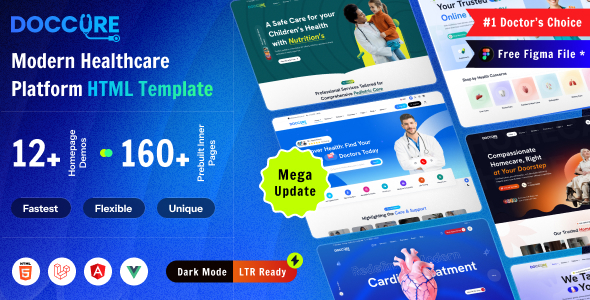
Doccure Documentation is an online documentation site for a medical appointment management system template, supporting four technology versions: HTML, Laravel, Angular, and Vue. It features built-in light/dark theme switching, a responsive sidebar, and code syntax highlighting, making it suitable as a reference template for multi-framework product documentation.
Tech Stack
- Bootstrap 5 — CSS framework (supports theme switching via
data-bs-themeattribute) - jQuery 3.6+ — DOM manipulation and plugin initialization
- Prism.js — Code syntax highlighting
- Feather Icons — Icon library
- Isotope — Masonry layout
- Magnific Popup — Image lightbox
- Zoom — Image hover zoom
Project Structure
doccure-205/
├── documentation/
│   ├── index.html          # Entry page with four framework navigation cards
│   ├── html.html           # HTML version documentation
│   ├── laravel.html        # Laravel version documentation
│   ├── angular.html        # Angular version documentation
│   ├── vue.html            # Vue version documentation
│   └── assets/
│       ├── css/
│       │   ├── bootstrap.min.css
│       │   ├── style.css         # Main stylesheet with Poppins/Nunito fonts
│       │   ├── prism.css         # Code highlighting
│       │   └── dark.css          # Dark theme
│       ├── js/
│       │   ├── main.js           # Core logic: sidebar, theme switching, responsive
│       │   ├── prism.js
│       │   ├── feather.min.js
│       │   └── jquery.*.min.js
│       └── plugins/
└── angular.zip / html.zip / laravel.zip / vue.zip
Key File Descriptions
documentation/index.html— Documentation site entry point, displaying navigation cards for four technology versionsdocumentation/assets/css/style.css— Main stylesheet defining layout, fonts, typography, and light/dark theme variablesdocumentation/assets/css/prism.css— Prism code highlighting theme stylesdocumentation/assets/js/main.js— Core interaction logic including sidebar visibility, theme switching, mobile detection (mobileAndTabletCheck), andlocalStoragestate persistencedocumentation/html.html— Complete documentation page for the pure HTML version (with code example display)
Quick Start
This project is a pure static site with no build step required:
- Open
documentation/index.htmldirectly in your browser; or - Start any local HTTP server (e.g.,
python -m http.server) and access it.
Usage Tips
The hideShowSidebar function in main.js dynamically controls sidebar behavior based on screen width (sSize.min: 576, sSize.max: 992) and sidebar mode (sb-default / sb-collapse). It is recommended to understand the function's logic before modifying it to avoid breaking the responsive experience. The dark theme can be triggered via the data-bs-theme-tool attribute, and the toggle state is persisted in localStorage.
