Project Overview
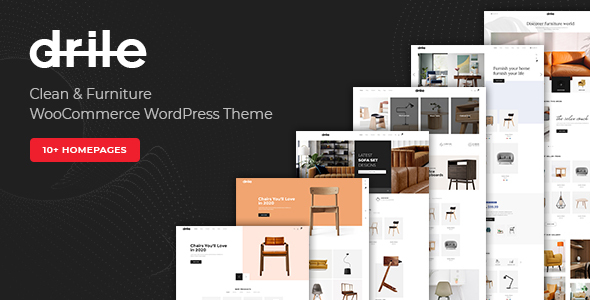
Drile is a WordPress theme designed for furniture e-commerce scenarios, built on WooCommerce to provide a complete product display and transaction workflow. It integrates a visual page editor and carousel plugin for diverse homepage layouts. Theme version 1.3.5 includes a companion child theme package for easy customization.
Tech Stack
- WordPress
- WooCommerce (E-commerce Core)
- WPBakery Page Builder (Visual Page Builder)
- Slider Revolution (Carousel/Slider)
- Font Awesome 5 (Icon Library)
- jQuery (Smooth Scrolling & Interactions)
Project Structure
├── drile.zip              # Main theme package
├── drile-child.zip         # Child theme package
└── Documentation/
    ├── index.html          # Documentation entry page
    ├── changelog.txt       # Changelog
    ├── css/style.css       # Documentation styles (referencing theme style)
    ├── fonts/              # Font Awesome font files
    └── images/
        ├── assets/         # Documentation header images, logo, favicon
        └── media/          # Documentation images (feature screenshots)
Core File Description
drile.zip— Complete theme package, install via WordPress admin panel uploaddrile-child.zip— Child theme package for safely overriding parent theme styles and functionalityDocumentation/index.html— Documentation entry covering installation, configuration, page building, e-commerce setup, and moreDocumentation/css/style.css— Documentation page styles based on the theme's orange primary color (#f16010)Documentation/images/media/— Contains operation screenshots for various feature modules (e.g., adding products, setting headers, configuring WooCommerce)Licensing/— Purchase license copies for paid components (WooCommerce plugins, WPBakery, Slider Revolution)
Quick Start
- In WordPress admin, go to "Appearance → Themes → Add New → Upload Theme", select
drile.zip, and activate - Follow prompts to install Required Plugins (WooCommerce, WPBakery Page Builder, Slider Revolution, etc.)
- Import demo content (refer to corresponding screenshot guides in Documentation/media)
- Configure Header, Menu, Footer, homepage templates, etc., following the
Documentation/index.htmlguide
Usage Recommendations
This theme is suitable for building vertical e-commerce websites for furniture and home decor. Customizations should prioritize using the child theme to override styles, avoiding direct modifications to parent theme files to ensure future updates can be applied normally. The documentation details the integration methods for WPBakery and Slider Revolution; it's recommended to familiarize yourself with these two plugins' operation logic before starting page building.
