Project Overview
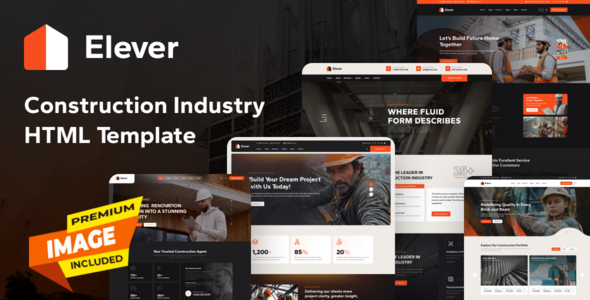
Elever is a multi-page HTML template designed for the architecture and renovation industry, offering complete page variants for company showcases, case studies, blogs, appointments, and more. It supports both Multipage and Onepage modes, making it ideal for quickly building renovation/engineering company websites.
Tech Stack
- HTML5 + CSS3
- Bootstrap 4.x (responsive layout framework)
- jQuery (DOM interaction and plugin extensions)
- Font Awesome (icon library)
- Swiper / AOS / Magnifying Popup (carousel/animation/image zoom plugins)
Project Structure
text
eleverhtml-10/
├── elever-documentation/     # Template usage documentation site
│   ├── assets/
│   │   ├── css/main.css       # Documentation styles (includes CSS variables)
│   │   └── js/main.js         # Smooth scrolling, search filtering, back to top
│   └── index.html
└── elever-html/               # Main template files
    ├── assets/
    │   ├── css/
    │   │   ├── plugins/       # Third-party plugin styles
    │   │   ├── vendor/        # Bootstrap and other framework styles
    │   │   └── style.css      # Main stylesheet
    │   ├── js/
    │   │   └── main.js
    │   └── images/
    ├── index.html             # Default homepage (Multipage)
    ├── index-two.html
    ├── onepage-one.html       # Onepage variant
    └── ...                    # about, blog, project, contact and other pages
Core File Description
elever-html/index.html— Main homepage entry, includes top navigation, carousel, service introductionelever-html/assets/css/style.css— Global styles and theme variable definitionselever-html/assets/js/main.js— Navigation interactions, scroll animations, component initializationelever-documentation/index.html— Official usage documentation (how to modify colors, logo, page content)elever-documentation/assets/js/main.js— Documentation site search and sidebar functionality
Quick Start
This template consists of pure static pages, no dependencies to install:
- Open
elever-html/index.htmldirectly in a browser to preview the homepage - Edit the corresponding HTML files to modify page content
- Open
elever-documentation/index.htmlas a usage reference
Usage Notes
All pages in the template use RTL layout (dir="rtl"). To switch to LTR, manually modify the body attribute. Pages share the assets directory; ensure path consistency when replacing logos or images.
