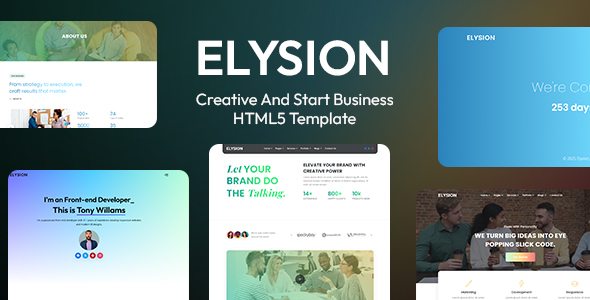
Project Overview
Elysion is a creative business HTML5 template built on Bootstrap 3, featuring 3 homepage styles (Creative Agency, Personal Portfolio, Digital Agency) and 75+ HTML pages. It's ideal for small businesses, creative agencies, and corporate websites.
Tech Stack
- HTML5 / CSS3
- Bootstrap 3
- jQuery
- Owl Carousel
- Swiper
- Magnific Popup
- Font Awesome 6 / Bootstrap Icons
- ScrollCue
Project Structure
text
Elysion_Main_HTML_Source/
├── DOCUMENTATION/
│   ├── index.html          # Template usage documentation
│   └── assets/             # Documentation static assets
└── HTML/
    ├── index.html          # Creative agency homepage
    ├── digital-agency.html # Digital agency homepage
    ├── personal-portfolio.html
    ├── about-us.html
    ├── blog.html / blog-grid.html
    ├── portfolio-one.html / portfolio-two.html / portfolio-three.html
    ├── services.html / service-two.html
    ├── testimonials.html
    ├── pricing-table.html
    ├── contact.html
    ├── 404-page.html
    ├── coming-soon.html
    └── assets/             # CSS, JS, images, etc.
Key Files
HTML/index.html— Creative agency homepage with statistics display sectionHTML/assets/css/master.css— Main stylesheet integrating all component stylesHTML/assets/js/master.js— Core interaction logicHTML/assets/js/plugins.js— Third-party plugin initialization configurationDOCUMENTATION/index.html— Complete template usage documentationHTML/coming-soon.html— Countdown maintenance page template
Quick Start
Pure static project, no build required:
- Navigate to
Elysion_Main_HTML_Source/HTML/directory - Double-click
index.htmlto open in browser, or start a local server (e.g., Live Server) - Refer to
DOCUMENTATION/index.htmlto modify page content
Usage Tips
The template provides multiple page combinations. Modify variables in assets/css/master.css to quickly change the theme color. For production projects, replace all resource paths with CDN or local production resources, and delete unused pages as needed.
