Project Introduction
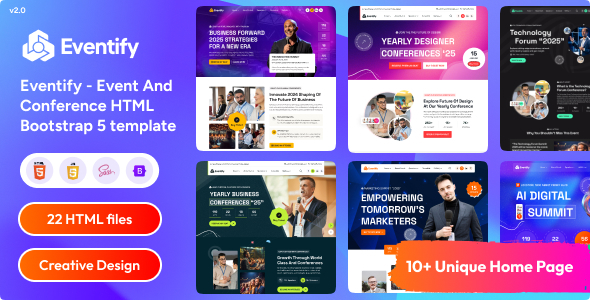
Eventify is a static HTML template designed for conferences and event scenarios, offering 10 homepage variations and complete event management pages (speakers, schedule, pricing plans, blog, FAQ, etc.). Suitable for quickly building conference websites and online event display pages.
Tech Stack
- HTML5 + CSS3 + JavaScript (Vanilla + jQuery 3.7.1)
- Bootstrap 5 (Grid and base components)
- FontAwesome (icon library)
- AOS (scroll animations), OwlCarousel / Slick Slider (carousels)
- Nice Select (custom dropdown), Magnific Popup (lightbox)
- Google Fonts (Teachers font)
Project Structure
eventifyhtml-210/
└── Eventify_v2.1.0_Unzip-First/
    ├── 1.Eventify_HTML_template/   ← Template main folder
    │   ├── index.html ~ index10.html   (10 homepage variants)
    │   ├── about.html, contact.html, blog.html
    │   ├── event.html, event-single.html
    │   ├── event-schedule.html, pricing-plan.html
    │   ├── speakers.html, speakers-single.html
    │   ├── memories.html, faq.html
    │   └── assets/
    ├── 2.Eventify_Documentation/   ← Official documentation
    └── 3.Eventify_Figma_Template/  ← Figma source file link
Core File Description
1.Eventify_HTML_template/index.html— Main homepage entry, includes popup ad and full-screen menu previewpricing-plan.html— Ticket pricing display pagecontact.html— Contact page with form layoutevent-schedule.html— Event schedule layoutspeakers.html— Speaker listassets/css/main.css— Aggregated stylesheet entry, imports component styles from the vendor directory
Quick Start
Open 1.Eventify_HTML_template/index.html directly in a browser, or access it via any local server (e.g., npx serve). You can copy index2.html through index10.html as needed for different homepage versions.
Usage Suggestions
All pages in the template use the same navigation structure and asset references. Modify the logo and color scheme under assets/ to unify the brand style. Form submission requires integrating your own backend API; the template only provides the frontend structure.
