Project Overview
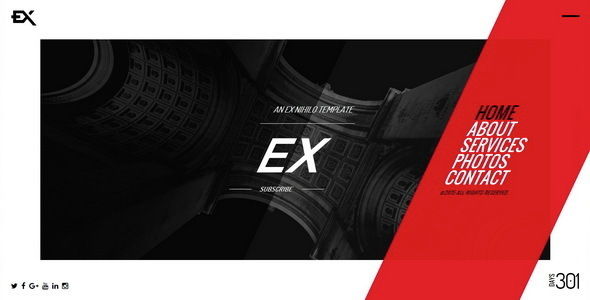
This is a responsive "Under Construction" page template set, featuring a countdown timer, contact form, and email subscription functionality. It includes multiple fullscreen background effects (video, image, slideshow, Google Maps, Ken Burns, etc.), making it suitable as a transitional page before a website goes live.
Tech Stack
- Bootstrap (CSS framework)
- Static HTML (page structure)
- PHP (contact form, MailChimp subscription backend)
- jQuery (interactive effects)
Project Structure
text
exunderconstruction-10/
├── Ex-v1-1-Template/
│   ├── index-*.html          # Background variant homepages (20+)
│   ├── contact.php           # Contact form handler
│   ├── subscribe.php         # MailChimp subscription interface
│   ├── css/
│   │   ├── bootstrap.min.css
│   │   ├── style-*.css       # Main styles (dark/light/pure-dark/pure-light)
│   │   └── colors/           # 16 color schemes
│   └── img/
└── Ex-v1-1-Documentation/
    └── index.html            # Official documentation page
Core File Description
index-*.html— Homepage variants; choose the file corresponding to your desired background effectcss/style-*.css— Theme stylesheets controlling dark/light overall appearancecss/colors/*.css— Color schemes; override primary colors by including via<link>tagcontact.php— Receives name, email, subject, and message, then sends an emailsubscribe.php— MailChimp subscription interface; requires API Key and List ID
Quick Start
- Deploy the
Ex-v1-1-Templatedirectory to a web server - Select the appropriate
index-*.htmlbased on your desired background effect - Modify the content in the
<!-- intro start -->section of the HTML - Configure the
$myemailrecipient address incontact.php - Configure the API Key and List ID in
subscribe.php - Open in a browser to preview
Usage Suggestions
- Opening static pages directly in a browser will only display the HTML structure; form submission and subscription features require a PHP environment (e.g., local MAMP/XAMPP or an online server).
- Color files are independent
.cssfiles; switching themes only requires changing the<link>tag's included path, with no need to modify the main stylesheet.
