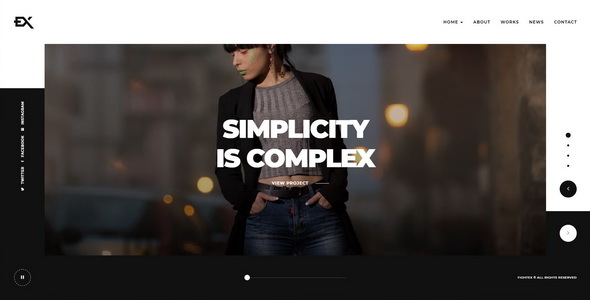
Project Overview
Fightex is a showcase portfolio static template with a full-screen background slideshow layout, suitable for creative professionals, photographers, and designers to display their work. It includes 5 homepage style variations and supports YouTube/Vimeo video background carousels.
Tech Stack
- Static HTML5 + CSS3
- jQuery (handles slideshow and form interactions)
- Swiper (carousel component)
- Lity / Magnific Popup (image/video lightbox)
- PHP (contact.php form backend)
Project Structure
text
fightexhtml-10/
├── Fightex-v1-0-Documentation/
│   ├── index.html          (Online documentation entry)
│   └── assets/             (Documentation CSS/JS)
├── Fightex-v1-0-Template/
│   ├── index.html          (Homepage - Hero Slider)
│   ├── index-2~5.html      (Other homepage variants)
│   ├── about.html          (About Us)
│   ├── contact.html        (Contact page)
│   ├── works.html          (Portfolio list)
│   ├── news.html           (Blog list)
│   ├── project-*.html      (Project detail pages)
│   ├── news-*.html         (Article detail pages)
│   ├── css/                (Main styles + plugin styles)
│   ├── js/                 (Page-specific scripts)
│   ├── fonts/              (Ionicons icon font)
│   └── img/                (Background images / case images / Logo)
Core File Description
Fightex-v1-0-Template/index.html— Main homepage entry, Swiper slideshow componentFightex-v1-0-Template/css/style.css— All styles, includes dark theme (#111) and Raleway fontFightex-v1-0-Template/js/fightex.js— Core interaction scriptFightex-v1-0-Template/contact.php— Email form backend, requires configuring$myemailFightex-v1-0-Template/works.html— Portfolio showcase page
Quick Start
- Unzip the archive and enter the
Fightex-v1-0-Templatefolder - Open
index.htmldirectly in a browser to preview - For deployment, upload the entire Template folder contents to the server's
public_html - Update
$myemailincontact.phpwith the actual recipient email address
Usage Suggestions
Keep original resolution when replacing background images and portfolio images in the img/ directory; the contact form relies on a server PHP environment. If using static hosting, integrate a third-party form service (e.g., Formspree).
