Project Overview
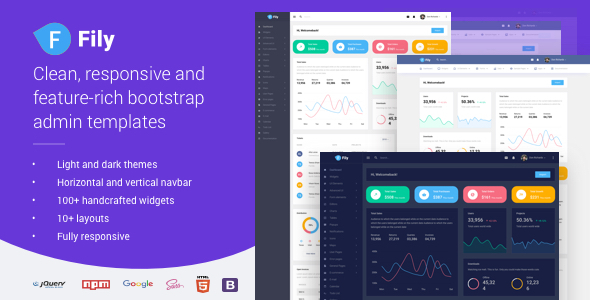
Fily Admin is a backend admin template based on Bootstrap 5, offering multiple layout combinations such as vertical navigation, horizontal navigation, dark/light themes, and sidebar. It is suitable for quickly building enterprise-level admin dashboards or SaaS dashboards. Built-in components include Chart.js, DataTables, Quill editor, TinyMCE, and more. A single codebase can switch between 10 different UI styles.
Tech Stack
- Bootstrap 5.3.3
- Gulp 4 (Build Tool)
- Sass/SCSS (Style Preprocessor)
- jQuery 3.7.1
- 50+ third-party plugins including Chart.js, DataTables, Quill, TinyMCE
Project Structure
text
fily-themeforest/
├── package.json
├── src/
│   ├── gulpfile.js          # Gulp entry file
│   ├── index.html           # Layout selector entry
│   ├── assets/              # Compiled assets (CSS/JS/images)
│   ├── docs/                # Documentation page styles
│   ├── gulp-tasks/          # Gulp task modules
│   └── themes/              # Complete pages for each layout theme
Key File Descriptions
src/index.html— Layout switching page, displays previews of all available themessrc/gulpfile.js— Gulp build entry, imports tasks from the gulp-tasks directorysrc/gulp-tasks/— Contains build subtasks such as build, serve, injectpackage.json— Declares all npm dependencies (including Bootstrap 5, Chart.js, jQuery, etc.)src/themes/— Directory containing actual theme pages (vertical-default-light, horizontal, etc.)
Quick Start
bash
# Install dependencies
npm install

# Start development server (hot reload)
npx gulp serve

# Or directly open src/index.html in a browser to select a theme and preview
Usage Recommendations
- After selecting a theme, copy the files from the corresponding theme directory into your project, then replace resource paths as needed
- The style layer is based on Bootstrap 5; modify variable overrides in
assets/scss/for quick skin changes - For production, run
npx gulp buildto minify and merge CSS/JS
