Project Overview
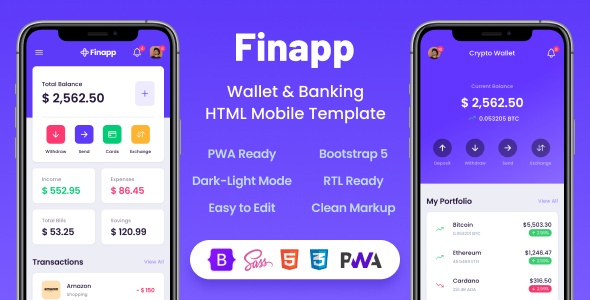
Finapp is a mobile-first wallet/banking/fintech HTML template with a complete set of pages and component library, suitable for quickly building financial mobile web applications or PWAs. The template is built on Bootstrap, integrates Ionicons icon library and ApexCharts, and supports Service Worker for "Add to Home Screen" functionality.
Tech Stack
- HTML5 + CSS3 (compiled stylesheets)
- Sass/SCSS (source styles, supports custom theming)
- Bootstrap 5 (layout and component framework)
- Splide.js (carousel component)
- ApexCharts (data visualization charts)
- Ionicons (icons)
- PWA (
__manifest.json+__service-worker.js)
Project Structure
text
Finapp v2-2-1/
├── Documentation/
│   ├── index.html          ← Online documentation entry
│   └── assets/             ← Documentation static assets
└── HTML/
    ├── index.html          ← Main entry page
    ├── __manifest.json     ← PWA manifest
    ├── __service-worker.js ← PWA Service Worker
    ├── app-*.html          ← Business pages (login, transactions, settings, etc.)
    ├── component-*.html    ← Reusable UI components
    └── assets/             ← CSS / JS / Images / Fonts
Core File Description
HTML/index.html— Main application page, displays wallet card, balance, action buttonsHTML/__manifest.json— PWA configuration file, defines theme color, icons, and display modeHTML/__service-worker.js— Service Worker, implements offline caching and Add to Home ScreenDocumentation/index.html— Official template documentation, includes Sass compilation, color, font configuration instructionsHTML/app-*.html— Business page templates (login, registration, bills, notifications, settings, etc.)HTML/component-*.html— Standalone UI component examples (dialogs, bottom menus, charts, tables, etc.)
Quick Start
- Open
HTML/index.htmlwith a local server (recommended: install Live Server extension in VS Code) - If editing outside a local environment, remove the Service Worker if-block in
assets/js/base.js - Documentation is located at
Documentation/index.html, where you can find detailed steps for Sass compilation, custom theme colors, etc.
Usage Suggestions
This template is suitable for rapid prototyping or as a starting point for financial mobile web applications. For deep customization, it is recommended to modify the Sass source files and recompile rather than directly editing style.css, to maintain a clean stylesheet structure.
