Project Introduction
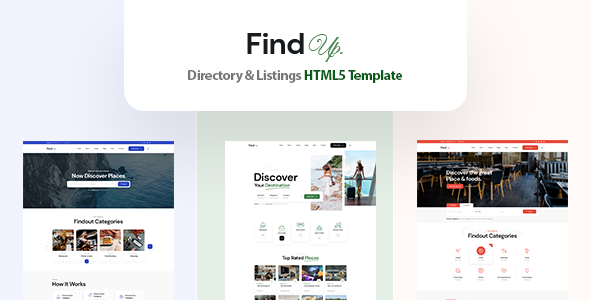
Findup is an HTML5 website template designed for directory and business listing scenarios. It provides complete pages including homepage styles, listing pages (grid/list/map), detail pages, news updates, etc., making it suitable for quickly building local business directories, yellow pages, or vertical search platforms.
Tech Stack
- HTML5 + CSS3 (static pages)
- Bootstrap 5 (responsive layout framework)
- Google Fonts (DM Sans primary font)
- Font Awesome (icon library)
- jQuery + third-party plugins (slick, magnific-popup, jquery.easing, etc.)
Project Structure
text
finduphtml-10/
├── documentation/          # Official documentation
│   ├── index.html
│   └── assets/
├── findup/                 # Template main directory
│   ├── index.html          # Homepage (three styles)
│   ├── index-2.html
│   ├── index-3.html
│   ├── about.html
│   ├── contact.html
│   ├── faq.html
│   ├── pricing.html
│   ├── news.html / news-details.html
│   ├── sign-in.html / sign-up.html
│   ├── listings-*.html      # Various listing pages
│   ├── listing-details.html
│   └── assets/
│       ├── css/             # Stylesheets (main.css / style.css, etc.)
│       ├── js/              # Script files
│       └── fonts/           # Font files
Core File Description
findup/index.html— Template homepage entry, includes navigation, carousel, categories, etc.findup/assets/css/main.css— Main business styles (colors, buttons, typography, etc.)findup/assets/css/style.css— Supplementary styles and utility classesfindup/listings-grid-right-sidebar.html— Grid listing page with right sidebarfindup/listings-half-screen-map-grid.html— Map + grid hybrid layout pagefindup/listing-details.html— Business/venue detail page
Quick Start
Pure static template, no build tools required:
- Deploy the
findup/folder to a web server (e.g., Nginx, Apache), or preview directly using VS Code Live Server - Open
findup/index.htmlin a browser to view the homepage - All pages rely on external CDN for fonts and some plugins; ensure network connectivity
Usage Suggestions
The template provides numerous preset layouts (e.g., map listings, sidebar toggles, three-column grids, etc.). You can directly copy HTML files from findup/ as page templates, modify content, and replace resource paths for deployment. Note that before going live, localize CSS/JS files to avoid dependency on external CDNs.
