Project Overview
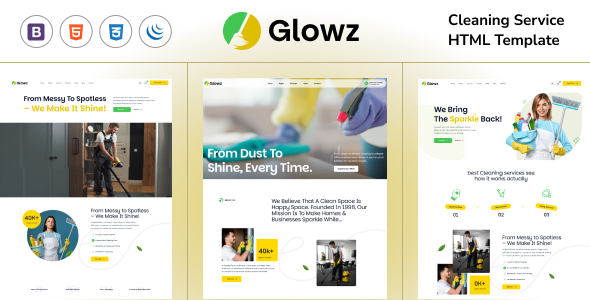
Glowz is an HTML5 website template designed for the cleaning service industry, featuring complete pages including homepage, blog, shop, team, FAQ, and more. It is suitable for cleaning companies or individual service providers to quickly build a professional showcase website. This is a pure static template that requires no additional runtime installation.
Tech Stack
- HTML5 + CSS3 + JavaScript (Vanilla)
- Bootstrap v5.0.1 (Responsive Layout)
- SASS (Style Source Files)
- jQuery (Interaction Logic)
- PHP (Contact Form Email Sending Only)
Project Structure
text
glowzhtml-10/downloadable/
├── glowz/                          # Actual template directory
│   ├── index.html                  # Homepage
│   ├── index-2.html / index-3.html # Homepage variants
│   ├── about.html                  # About Us
│   ├── contact.html                # Contact Page
│   ├── appoinment.html             # Appointment Page
│   ├── shop.html / shop-single.html# Shop related
│   ├── blog*.html                  # Blog related pages
│   ├── project*.html               # Portfolio/Case studies
│   ├── team*.html                  # Team pages
│   ├── faq.html                    # Frequently Asked Questions
│   ├── 404.html                    # Error page
│   ├── mail-contact.php            # Form email processing
│   ├── htaccess                    # Apache configuration
│   └── assets/                     # Static assets
│       ├── css/                    # Style files
│       ├── js/                     # Script files
│       ├── images/                 # Image assets
│       └── sass/                   # SASS source files
└── documentation/                  # Template usage documentation
Core File Description
glowz/index.html— Homepage entry, includes navigation, carousel, service showcase, and complete layoutglowz/assets/sass/style.scss— SASS style source file, compiled to CSSglowz/assets/js/script.js— Page interaction logic (navigation, scrolling, animations, etc.)glowz/mail-contact.php— PHP processing script for sending emails from the contact formglowz/assets/css/bootstrap.min.css— Bootstrap 5 core stylesglowz/assets/images/— Image assets including logos, icons, placeholder images, etc.
Quick Start
- Deploy the
glowzfolder to a web server (e.g., Apache/Nginx) or local development environment - Ensure the server supports PHP (only needed for the contact form); the template can run as pure static without the form feature
- Access
index.htmldirectly in a browser, or open it via a local server (e.g.,php -S localhost:8000) - Edit the HTML files to replace content text and images as needed
Usage Suggestions
- For actual deployment, modify the
$toemail address inmail-contact.phpand ensure the server has themail()function enabled - The template uses SASS for style management; for customization needs, it is recommended to directly modify the source files under
assets/sass/and then recompile
