Project Overview
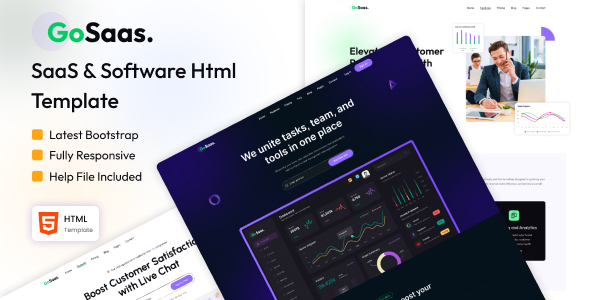
GoSaaS is a multi-theme SaaS product landing page HTML template featuring four homepage variants: CRM customer management, task management, data analytics, and live chat, along with common pages such as About Us, Blog, Pricing, and FAQ. Built with Bootstrap responsive layout, it's ready to use out of the box, ideal for quickly building SaaS product landing pages.
Tech Stack
- Bootstrap 5 (responsive layout)
- FontAwesome 6 (icon library)
- jQuery (interaction logic)
- Slick Slider (carousel component)
- Animate.css (animations)
- Google Fonts (Outfit, Urbanist, Inter)
Project Structure
GoSaaS/
├── GoSaaS - Documentation/
│   ├── index.html
│   └── assets/
│       ├── css/style.css
│       └── js/layout.js
└── GoSaaS - Template/
    ├── index.html
    ├── task-management.html
    ├── data-analytics.html
    ├── live-chat.html
    ├── features.html, pricing.html, blog.html, contact.html
    ├── about-us.html, services.html, integration.html
    ├── login.html, register.html, password-change.html
    ├── faqs.html, term-condition.html, blog-details.html
    └── assets/
        ├── css/style.css (main stylesheet, includes Sass source reference)
        ├── img/ (illustrations, icons, avatars, etc.)
        └── fonts/ (Outfit, Urbanist, Inter font files)
Key File Descriptions
GoSaaS - Template/index.html— CRM management theme homepage, top navigation includes four homepage variant switching entriesGoSaaS - Template/assets/css/style.css— Complete stylesheet defining color schemes, typography, and component styles for all themesGoSaaS - Template/assets/js/— Contains jQuery interactions and third-party plugins (carousel, counters, etc.)GoSaaS - Template/task-management.html— Task management theme homepage with dark background styleGoSaaS - Documentation/index.html— Template usage documentation covering HTML structure, image replacement, icon usage, etc.
Quick Start
Simply open GoSaaS - Template/index.html in your browser to preview. For a local server, use any static server tool to run the directory.
Usage Suggestions
The template provides four theme homepage variants. You can quickly switch the overall style by copying index.html and replacing the corresponding class (e.g., cs_task_management). When replacing content, maintain the HTML structure integrity to avoid breaking the responsive layout.
