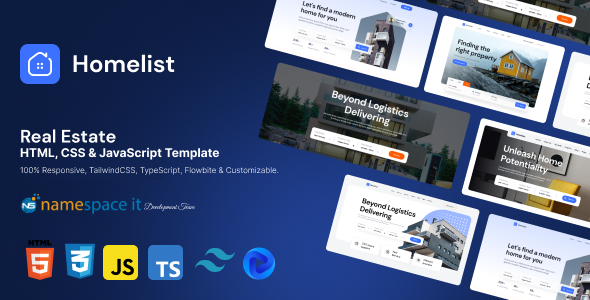
Project Overview
Homelist is a real estate website template built with HTML, CSS, and JS, offering 5 homepage style variations with responsive layout support. Styled with Tailwind CSS and powered by TypeScript for interactive logic, it's ideal for quickly building property rental/sale and real estate showcase websites.
Tech Stack
- Tailwind CSS v3.4 (styling framework)
- PostCSS + autoprefixer (CSS processing)
- TypeScript (interactive logic)
- Flowbite (Tailwind UI component library)
- Font Awesome 6 (icons)
- concurrently (parallel multi-process during development)
Project Structure
text
main-file/
  index.html         # Homepage entry (showcases 5 Homepage variants)
  index2.html ~ index5.html
  property.html      # Property detail page
  property2.html     # Property detail page variant
  properties.html    # Property listing page
  blog.html / blogs.html
  contact.html / faq.html
  project.html / projects.html
  map-view-*.html    # Map view pages (4 layouts)
  package.json
  postcss.config.js
  tailwind.config.js
  tsconfig.json
  styles/            # Compiled output directory (CSS)
  assets/            # Images, icon resources
documentation/
  README.md / index.html   # Official documentation site
Core File Description
main-file/index.html— Main entry page, includes navigation, slideshow, property recommendations, etc.main-file/package.json— Project dependencies and script definitionsmain-file/postcss.config.js— PostCSS plugin configuration (includes tailwindcss)main-file/tailwind.config.js— Tailwind theme and variant customizationmain-file/styles/— Tailwind compiled CSS output folderdocumentation/index.html— Online preview site for configuration documentation
Quick Start
bash
cd main-file
npm install

# Development mode (starts Tailwind CSS watch + TypeScript watch simultaneously)
npm run dev

# Or run CSS compilation separately
npm run dev:css

# Production build
npm run build:css
Usage Recommendations
- The template loads Font Awesome via CDN by default; replace with local webfonts for offline use
- The 5 homepages (index ~ index5) offer different hero section layouts — choose or mix as needed
- Customize theme colors by modifying
colors.primaryintailwind.config.js
