Project Overview
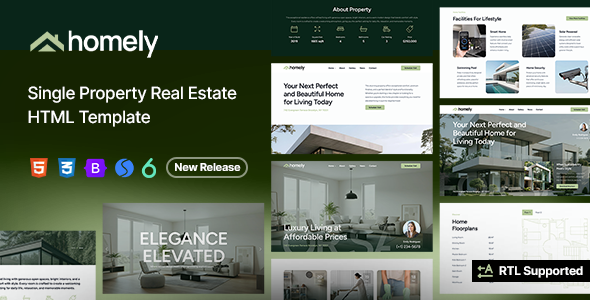
Homely is a set of HTML templates designed for real estate/single property showcase scenarios, built on Bootstrap 5. It offers 5 multi-page homepage variants and 5 single-page homepage variants, along with common pages like news, about, and contact. It's suitable for real estate companies or individual agents to quickly build property showcase websites.
Tech Stack
- Bootstrap 5 (responsive layout, 12-grid system)
- HTML5 + CSS3 (including custom property variables)
- Swiper (carousel component)
- Font Awesome 4 & 6, Elegant Icons, ET-Line Icons, IcoFont (icon fonts)
- Google Fonts (Figtree font)
- jQuery (original JS files)
Project Structure
text
Homely/
├── Documentation/
│   ├── index.html          # Official documentation entry
│   ├── css/
│   │   ├── bootstrap.css
│   │   └── style.css
│   └── images/
│       └── help.png
└── Homely HTML/
    ├── index.html           # Default homepage (Homepage 1)
    ├── homepage-2.html ~ homepage-5.html
    ├── onepage-1.html ~ onepage-5.html   # Single-page versions
    ├── about.html
    ├── contact.html
    ├── gallery.html
    ├── news.html / news-single.html
    ├── visit.php
    ├── css/
    │   ├── bootstrap.min.css / bootstrap.rtl.min.css
    │   ├── style.css        # Main stylesheet
    │   ├── coloring.css
    │   ├── colors/
    │   │   ├── scheme-01.css
    │   │   ├── scheme-02.css
    │   │   └── scheme-03.css
    │   └── swiper.css / datepicker.css
    ├── fonts/
    │   ├── fontawesome4/ / fontawesome6/
    │   ├── elegant_font/ / et-line-font/
    │   └── icofont/
    └── images/
        ├── demo/            # Homepage preview thumbnails
        ├── gallery/         # Sample image gallery
        └── misc/            # Floor plans and other assets
Core File Description
Homely HTML/index.html— Default homepage entry, includes complete Header / Main / Footer structureHomely HTML/css/style.css— Main stylesheet, defines global variables (colors, fonts, border-radius, etc.)Homely HTML/css/colors/scheme-*.css— Switchable theme color schemesHomely HTML/css/bootstrap.min.css— Bootstrap framework core (must keep id="bootstrap" for JS calls)Documentation/index.html— Official usage documentation, explains layout, grid, RTL and other configuration methodsHomely HTML/visit.php— Backend processing file for property viewing appointment form
Quick Start
- Open
Homely HTML/index.htmldirectly in your browser to preview the default homepage - To modify content, open
.htmlfiles with any text editor or VS Code for editing - Image assets are located in the
images/directory; replace files with the same name to update display images
Usage Suggestions
- Multi-page version is suitable for corporate websites requiring a complete navigation structure; single-page version is ideal for landing pages or property campaign promotions
- To switch color schemes, simply modify the scheme file referenced by
<link id="colors">inindex.html - The documentation explains how to enable RTL mode (set
enableRtl = 'on'), making it usable for right-to-left languages like Arabic
