Project Overview
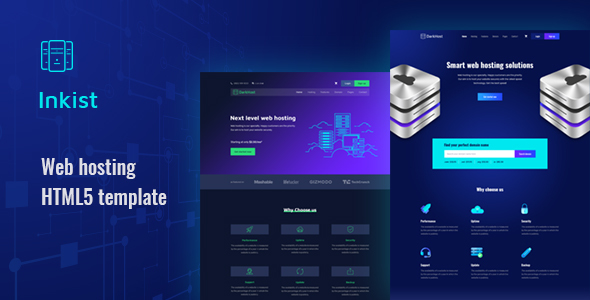
Inkist is a responsive HTML5 website template designed for web hosting services, featuring a deep blue color scheme. It provides various page templates including homepage, about page, blog, login, and registration pages, making it suitable for quickly building official websites or marketing pages for virtual hosting, cloud services, VPN, and other internet service providers. The template is built on the Bootstrap framework and is purely static, requiring no additional build tools.
Tech Stack
- Bootstrap 4 (responsive layout framework)
- jQuery 3.x (interactive scripts)
- HTML5 / CSS3 (page structure and styling)
- Google Fonts (Oswald, Rubik, Maven Pro)
- Font Awesome (icon library)
Project Structure
text
inkist-package/
├── inkist-documentation/
│   ├── index.html          # Template usage documentation
│   ├── css/
│   │   ├── bootstrap.min.css
│   │   └── style.css       # Documentation page styles
│   └── img/
│       └── favicon.png
└── inkist-html/
    ├── index.html          # Template preview homepage
    ├── home1.html          # Homepage design option 1
    ├── home2.html          # Homepage design option 2
    ├── hosting.html        # Web hosting page
    ├── cloud-hosting.html  # Cloud hosting page
    ├── dedicated.html      # Dedicated server page
    ├── vpn-hosting.html    # VPN service page
    ├── domain.html         # Domain registration page
    ├── about.html          # About us
    ├── blog.html           # Blog list
    ├── blog-details.html   # Blog details
    ├── contact.html        # Contact us
    ├── login.html          # Login page
    ├── signup.html         # Signup page
    ├── faq.html            # Frequently asked questions
    ├── testimonial.html    # User testimonials
    ├── style.css           # Main stylesheet
    └── assets/             # Public assets directory
        ├── css/            # Third-party CSS
        ├── js/             # Third-party JS
        └── img/            # Image assets
Core File Description
inkist-html/index.html— Template preview page, showcasing all page entry pointsinkist-html/home1.html— First homepage design optioninkist-html/style.css— Core stylesheet containing all page layouts and color definitionsinkist-html/login.html— Login form page with navigation bar and form validation UIinkist-documentation/index.html— Official usage documentation explaining file structure and modification methodsassets/js/— jQuery plugin collection (Bootstrap, Owl Carousel, magnific-popup, etc.)
Quick Start
- Extract the archive and navigate to the
inkist-package/inkist-html/directory - Open
index.htmldirectly in a browser to preview all pages - Edit the corresponding
.htmlfiles to modify content, referring to the documentation ininkist-documentation/index.html - Replace image assets in the
assets/img/directory before going live
Usage Recommendations
- This template consists of purely static pages and requires no Node.js or any build tools to run
- For production environments, it is recommended to change asset paths from relative to CDN or private CDN to improve loading speed
- When modifying
style.css, pay attention to distinguishing the color schemes between homepage (home1/home2) and inner pages to ensure consistent styling
