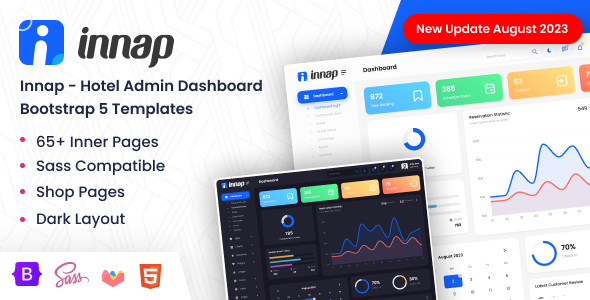
Project Overview
Innap is a hotel management admin template based on Bootstrap 5, providing complete functional pages such as dashboards, room management, e-commerce orders, email system, and form validation. It is suitable for developing backend management systems for hotels, B&Bs, resorts, and other accommodation industries.
Tech Stack
- Bootstrap 5 (responsive layout framework)
- jQuery (DOM manipulation and interactions)
- Chartist / Chart.js / Flot / Morris / Peity / Sparkline (chart libraries)
- metisMenu (sidebar menu)
- Perfect Scrollbar (custom scrollbar)
- AOS (scroll animations)
- FontAwesome, Material Design Icons, Themify Icons, and other icon libraries
Project Structure
innaphtml-11/Innap-v1.1-02-August-2023/
├── documentation/          # Template documentation
│   └── index.html
└── xhtml/                  # Main template files
    ├── css/
    │   └── style.css       # Compiled main stylesheet (includes dark/light theme variables)
    ├── js/                 # Page interaction scripts
    ├── vendor/             # Third-party plugins (charts, icons, etc.)
    ├── icons/              # Icon library resources
    ├── images/             # Public images
    ├── fonts/              # Font files
    ├── index.html          # Main dashboard entry
    ├── index-2.html        # Dashboard second version
    ├── email-*.html         # Email module (inbox/compose/read)
    ├── ecom-*.html          # E-commerce module (products/orders/customers/invoices)
    ├── form-*.html          # Form module (validation/wizard/editor)
    ├── chart-*.html         # Chart display pages
    ├── guest-*.html         # Guest management
    ├── page-*.html          # Authentication and error pages
    └── concierge.html      # Concierge service page
Core File Description
xhtml/index.html— Main dashboard entry, includes sidebar navigation and card-based data overviewxhtml/css/style.css— Compiled and merged complete stylesheet, defines theme colors and dark mode variablesxhtml/js/custom.js— Common page interaction logic (sidebar toggle, theme switching, etc.)xhtml/js/layout-dark.js— Configuration file for switching to dark themexhtml/js/layout-light.js— Configuration file for switching to light themedocumentation/index.html— Official online documentation, includes installation instructions and file structure overview
Quick Start
The template is pure static HTML with no dependency installation required. Simply open the following files in your browser to preview the complete effect:
- Main entry:
xhtml/index.html - Dark theme entry:
xhtml/index-2.html
Usage Suggestions
The template itself is a complete static page that can be used directly as a reference or for secondary development via browser "Save As". It is recommended to use VS Code with the Live Server extension to start a local server to avoid certain resource path reference issues. To change the theme color, simply modify the CSS variables (e.g., --primary, --secondary) in style.css for global application.
