Project Overview
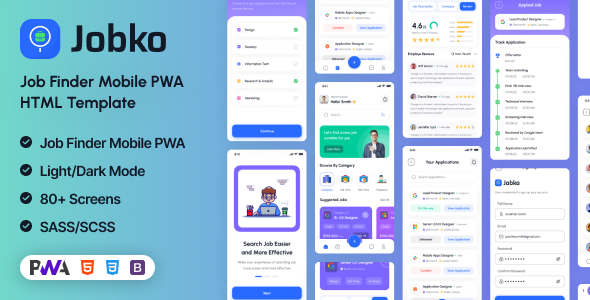
Jobko is a mobile-first recruitment and job application UI template built with Bootstrap, supporting PWA (Progressive Web App). The template covers the complete job-seeking process including registration/login, profile setup, job search, application submission, and message notifications, with 40+ pages suitable for rapid development of recruitment apps or responsive mobile websites.
Tech Stack
- Bootstrap 5 (layout & components)
- jQuery (DOM manipulation & interaction logic)
- Swiper (carousel)
- noUiSlider (slider control)
- niceSelect (dropdown selection)
- PWA (Service Worker + manifest.json)
Project Structure
text
jobko/
├── index.html                # Home page
├── _manifest.json            # PWA manifest
├── _service-worker.js        # Service Worker
├── all-job.html              # All job listings
├── search-job.html           # Job search page
├── job-detail.html           # Job details
├── apply-job.html            # Apply for job
├── profile.html              # Personal profile
├── setup-profile.html        # Profile setup guide
├── message-inbox.html        # Message inbox
├── sign-in.html              # Login page
├── sign-up.html              # Registration page
├── onboarding-*.html         # Onboarding pages
├── skill-assess*.html        # Skill assessment pages
├── ui-*.html                 # UI component demo pages
├── css/
│   ├── bootstrap.min.css
│   ├── styles.css            # Main styles
│   └── nouislider.min.css
├── js/
│   ├── main.js               # Interaction logic (theme toggle, OTP input, etc.)
│   └── init.js               # PWA initialization
└── fonts/                    # Icon fonts
Key File Descriptions
index.html— Application home page with search bar and latest job listingsjs/main.js— Core interaction logic: password visibility toggle, OTP auto-advance, light/dark theme switch, Datepicker initialization, etc.css/styles.css— Custom styles overriding Bootstrap defaults, defining dark theme styles_manifest.json— PWA configuration file defining app name, icons, and launch behaviorall-job.html/search-job.html— Job listing and search functionality pages
Quick Start
- Open
jobko/index.htmldirectly in a browser - Or use any static server (e.g.,
npx serve .) to run locally - To enable PWA features, deploy to an HTTPS environment
Usage Suggestions
The template includes a complete user journey. It's recommended to reuse components from ui-*.html (such as Badge, Modal, Switch) in functional pages as needed. To integrate with a backend API, simply replace the static data in HTML with JSON returned from dynamic API endpoints.
