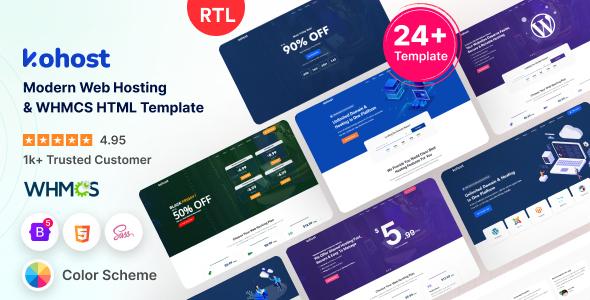
Project Overview
kohost is a professional responsive template designed for hosting service providers, offering both HTML frontend pages and a complete WHMCS billing system theme. It includes built-in modules for shopping cart, domain lookup, and product display, making it ideal for quickly building a hosting sales platform.
Tech Stack
- Bootstrap 5.2.2
- jQuery 3.6.0
- SCSS (Sass)
- Gulp 4 (Build Tool)
- WHMCS (Theme/Cart/Hooks)
Project Structure
text
kohoshtml-1020/
├── kohost/                      # HTML template main directory
│   ├── gulpfile.js              # Gulp build configuration
│   ├── package.json             # Dependency management
│   └── src/                     # Source code (SCSS/HTML/JS)
├── whmcs/                       # WHMCS integration files
│   ├── hooks/                   # PHP hook functions
│   ├── orderforms/
│   │   └── themetags_cart/      # Shopping cart order forms
│   ├── templates/
│   │   └── kohost/              # WHMCS client theme
│   └── lang/overrides/          # Language overrides
├── kohoshtml-1020/               # Original HTML demo site
│   └── src/                     # Static page source code
└── documentation/
    ├── HTML-documentation/       # HTML template documentation
    └── WHMCS-documentation/      # WHMCS integration documentation
Core File Description
kohost/gulpfile.js— Gulp task configuration, defines development and build workflowskohost/package.json— Project dependency declarations (Bootstrap, jQuery, Sass, etc.)whmcs/hooks/— WHMCS custom hooks for extending system behaviorwhmcs/orderforms/themetags_cart/— Shopping cart order form templates (product configuration, checkout flow)whmcs/templates/kohost/— Complete WHMCS client area theme templatewhmcs/lang/overrides/english.php— Language string override file
Quick Start
HTML Template Development:
bash
cd kohost
npm install
npm start     # Start development server with hot reload
npm run build # Production build
WHMCS Integration:
- Copy
whmcs/templates/kohost/to the WHMCStemplates/directory - Copy
whmcs/orderforms/themetags_cart/to the WHMCSorderforms/directory - Copy the contents of
whmcs/hooks/into the WHMCShooks/directory - In the WHMCS admin panel, set the default template to
kohostand the default cart tothemetags_cart
Usage Recommendations
This template also includes an RTL (Arabic/Hebrew) version, located at kohoshtml-1020/kohost-rtl/src/, which can be reused for Middle Eastern markets. On the WHMCS side, ensure version compatibility; hook files rely on the !defined('WHMCS') security guard. Thoroughly test the shopping cart checkout flow before production deployment.
