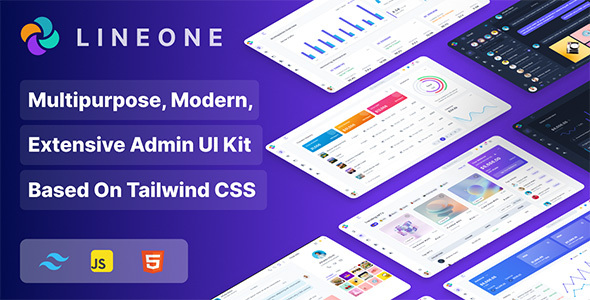
Project Overview
Lineone is a versatile admin dashboard and web application UI kit built on Tailwind CSS v3, featuring 18 dashboard templates, 9 pre-built applications (including Chat, Mail, Kanban), 40+ pages, and 1000+ components. It supports Dark Mode and Monochrome mode, making it ideal for quickly building SaaS platforms, CMS, CRM, LMS, or e-commerce backends.
Tech Stack
- Tailwind CSS v3
- HTML5 / ES6 JavaScript
- Bootstrap (partial component compatibility)
- Laravel (Laravel integration version available)
- Webpack (via webpack.mix.js)
Project Structure
lineoneadmin-310/
├── lineone-html/           # Pure HTML version
│   ├── dist/               # Build output directory
│   ├── src/                # Source directory
│   ├── package.json
│   └── webpack.mix.js
├── lineone-html-es6/       # ES6 modular version
├── lineone-html-rtl/       # RTL layout version
├── lineone-html-es6-rtl/   # ES6 + RTL combined version
├── lineone-laravel/        # Laravel integration version
│   ├── app/
│   ├── config/
│   ├── composer.json
│   └── .env.example
└── Documentation/          # Online documentation
Key Files
lineone-html/package.json— HTML version dependencies and build scriptslineone-html/webpack.mix.js— Webpack build configuration (same for Laravel version)lineone-laravel/.env.example— Laravel environment variable templatelineone-html-rtl/tailwind.config.js— Tailwind CSS theme configurationlineone-laravel/composer.json— Laravel version PHP dependencies
Quick Start
HTML Version (Recommended):
cd lineone-html
npm install
npm run dev      # Development mode
npm run build    # Production build
Open the dist/ directory in your browser, or use npx serve dist to start a local preview server.
Laravel Version:
cd lineone-laravel
composer install
cp .env.example .env
php artisan serve
Usage Tips
This is a UI component library rather than a complete project. It's recommended to select relevant components for secondary development based on your business needs. The template also provides RTL (right-to-left) versions and a Laravel integration version, allowing flexible selection based on your project's tech stack.
