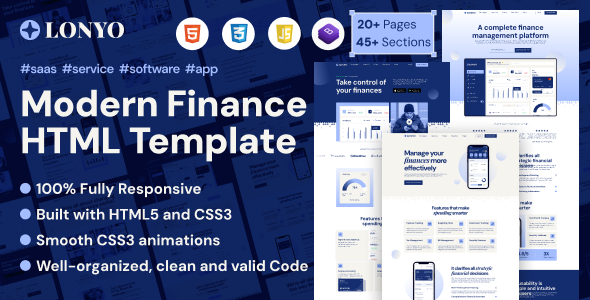
Project Introduction
Lonyo is a responsive HTML5 website template designed for IT solutions and software technology companies. It offers 3 homepage styles and includes complete business pages such as About Us, Team, Case Studies, Portfolio, Pricing, FAQ, Career & Job Listings, as well as user account pages like Sign In, Sign Up, and Password Reset.
Tech Stack
- HTML5 + CSS3 (pure static pages)
- Bootstrap v5.1.3 (grid system & base components)
- AOS (scroll animations), Animate.css (CSS animations), Slick (carousel)
- Remix Icon + Font Awesome (dual icon libraries)
- Magnific Popup (lightbox), Nice Select (custom dropdown)
- Google Fonts (Afacad, DM Sans, Fira Sans, Instrument Sans, Inter)
Project Structure
text
lonyohtml-10/
  Main-File/
    documentation/
    lonyo/
      index.html          # Homepage (Style 1)
      index-02.html        # Homepage (Style 2)
      index-03.html        # Homepage (Style 3)
      about-us.html
      blog.html / single-blog.html
      career.html / single-career.html
      contact-us.html
      errors-404.html
      faq.html
      integration.html / single-integration.html
      portfolio.html / single-portfolio.html
      pricing.html
      service.html / single-service.html
      sign-in.html / sign-up.html / reset-password.html
      team.html / single-team.html
      testimonial.html
      cooming-soon.html
      assets/
        css/
        images/
        js/
Key File Descriptions
lonyo/index.html— Main homepage entry, aggregates all business module displayslonyo/index-02.html,index-03.html— Alternative homepage visual layoutslonyo/assets/css/main.css— Core template stylesheetlonyo/assets/css/app.min.css— Minified component styleslonyo/errors-404.html— 404 error page templatelonyo/sign-in.html/sign-up.html— User login and registration pages
Quick Start
- Unzip the downloaded archive and navigate to the
Main-File/lonyofolder; - Open
index.htmldirectly in your browser to preview the entire site; - For a local development server, use VS Code's Live Server extension or run
python -m http.server.
Usage Tips
The template features a multi-level navigation structure (Desktop Menu + Mobile Menu). It is recommended to quickly initialize the project by replacing the logo image and company content. All pages link to each other, so no additional build tools are required — simply deploy to any static hosting service.
